
hololive Dreams beginner's guide: your first day step by step, the tutorial and Redraw Gacha, where to spend starter diamonds, and how free players survive.
hololive Dreams Beginner Guide — Day One Essentials
hololive Dreams (nicknamed holodori) throws a lot at you in the first hour: a rhythm tutorial, a Redraw Gacha, park building, holomem quests, and four different currencies. The good news is that the opening is deliberately generous — pre-registration gifts, a release login bonus, and the guaranteed 5-star mean a fresh account starts with real resources. The bad news is that spending them wrong (or skipping the right unlocks) stalls your first week. This guide walks your first day in order: install, starter pick, tutorial, first quests, and the exact spend order that keeps a free account rolling. For the full system tour, start with our hololive Dreams guide.
Before You Start: Install and Download Size
The game is free on iOS, Android, and Steam. Plan for a heavy first download — the game caches music videos and park assets, and the PC build needs 50 GB free (Steam lists it in the minimum requirements, confirmed via the official system requirements news). On mobile, make sure you're on Wi-Fi and have several GB free before launching. The Steam build is Windows 11 only, and it ships with a kernel-level anti-cheat component that some antivirus software flags — the store page addresses this directly, and it currently blocks Steam Deck/Linux (more in the platforms guide).
Step 1: Pick Your Starter (This Is Your Guaranteed 5-Star)
After the opening cinematic, you choose one holomem — that member's 5-star card is guaranteed in the Redraw Gacha that follows. This is the single most valuable free decision in the game: it's the only 5-star you're certain to own, so it becomes your early leader core. Don't overthink the meta; your oshi is a legitimate pick here. If you're optimizing, the early consensus leans toward Hoshimachi Suisei (rhythm scoring), Tokino Sora (survival/support), or Usada Pekora (park farming) — see our tier list for the reasoning.
The Redraw Gacha's first pull is guaranteed to be your chosen member's 5-star. Rerolling randomizes the five-star across the whole roster — you trade a guaranteed card for a lottery ticket. The step-by-step logic is in the reroll guide, but for day one the correct move is almost always to keep it.
Step 2: The Tutorial (Don't Skip the Story)
The tutorial is longer than most gacha games — expect 30–60 minutes before the game fully opens up. It walks rhythm basics, your first Live, Dream Park construction, team formation, and holomem quests in a deliberate order. hololivedream.wiki's beginner guide recommends not skipping dialogue on the first run: the story segments explain the island setting and unlock your navigation tools. The first systems you'll unlock, in order:
- Chapter 1 Episode 1 — Live mode and the gacha preview (the Redraw Gacha)
- Chapter 1 Episode 3 — the Hoppin' Rope mini-game
- Chapter 1 Episode 4 — multiplayer ("Live Together")
- Chapter 1 Episode 5 — Daily Quests and the Mission Pass
- Chapter 1 Episode 6 — Achievements and the holomem Board
Step 3: Claim Your Mailbox (Seriously)
Your mailbox contains the pre-registration rewards plus the release login bonus. The launch campaign gave out, per COVER's official announcement: 2,500 Diamonds (10 pulls), a ★4+ guaranteed ticket, 3 Music Disks, 5 gacha tickets, and accessories for all 54 talents (Pixel Sunglasses and the Kawaii Hairpin). The login bonus alone paid out diamonds equal to 10 pulls over its run. Claim everything before spending anything — this is your entire day-one gacha budget.
Official source: COVER's launch announcement confirms the pre-registration gifts: "2,500 Diamonds (equivalent to 10 Gacha pulls), ★4+ Guaranteed Gacha Ticket, Music Disk x3" plus "Pixel Sunglasses for all 54 talents" and "Gacha Ticket x5."
Step 4: Where to Spend Starter Diamonds (Spend Order)
Free players get pink Diamonds from play and blue Diamonds from purchases. Your starter diamonds are pink, and the correct order is:
- Beginner Support banner — a 7-day banner where you wishlist three 5-star members to raise their rate. This is the best free-value banner in the game. Pick three from our gacha guide wishlist table.
- Running Start banner — a 48-hour blue-diamond banner with a guaranteed 5-star within 10 pulls. It unlocks after a specific story milestone, and its window starts ticking from that moment — don't rush story, but don't dawdle either.
- Skip the permanent Holodori banner until both limited ones are spent.
Save Live Boosts and mini-game boosts for daily objectives rather than dumping them at once — the daily/weekly missions reward you for consuming boosts, so there's no reason to rush through your stock.
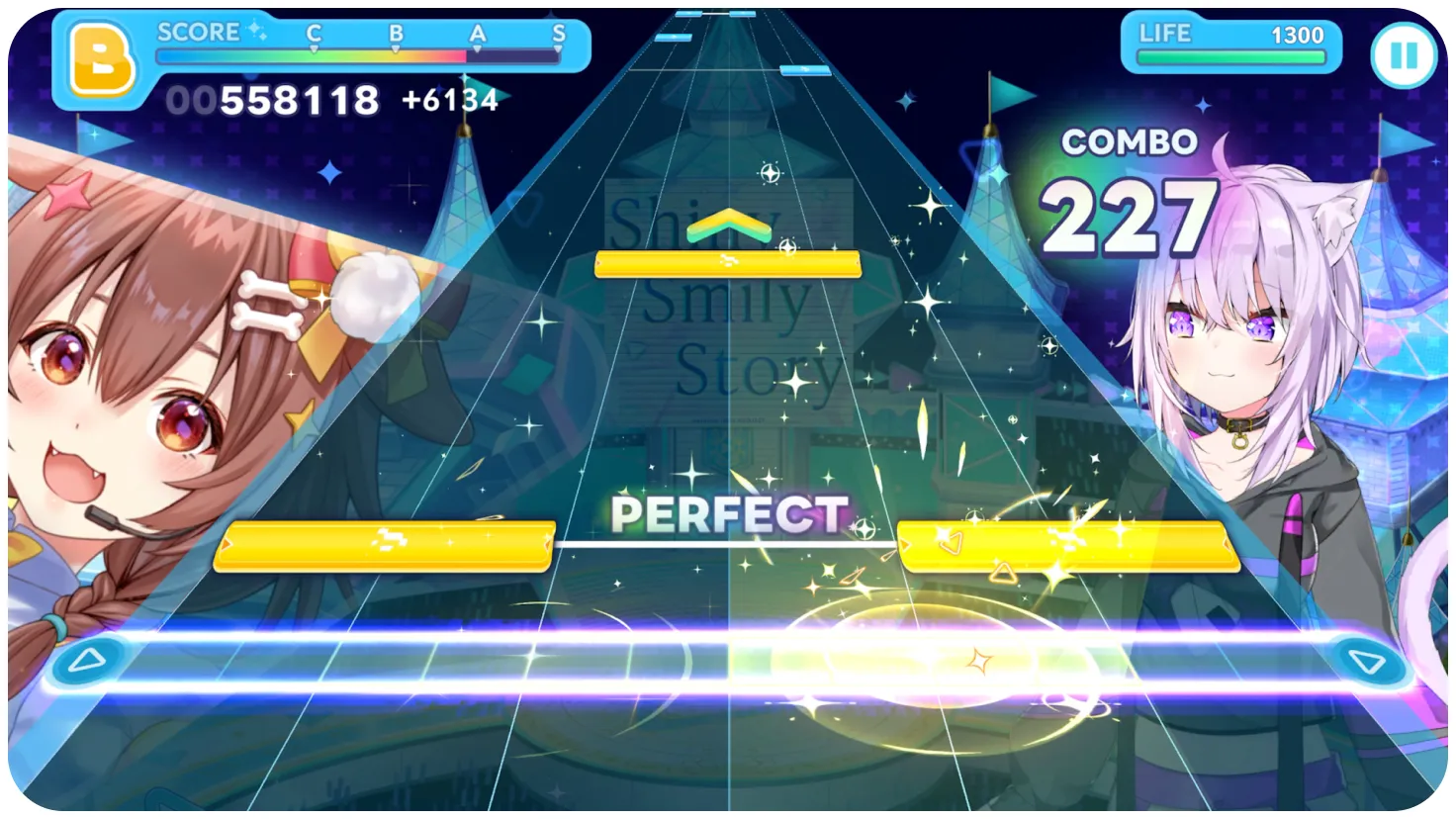
Step 5: Set Your Rhythm Settings Before Grinding
Three settings fix more beginner frustration than any gacha pull (details in the how to play guide):
- Note speed — default is around 5.0; most players report 8–10 reads much better. Dense charts become readable when notes are spaced out.
- FAST/SLOW display — shows whether you're tapping early or late, so you can correct timing.
- Auto-play — consumes an auto ticket but clears songs for you; perfect for learning charts or clearing event stages when you're tired. Auto-play scores are capped (reported at 80% of manual score) but rewards still count.
Step 6: The Daily Loop That Matters
After day one, your routine should be:
- Two daily holomem quests — every day you can unlock a random member in the park plus one of their songs. This is the only reliable free source of specific members and their songs. Missed days = missed roster progress.
- Daily mini-game rotation — the most stamina-efficient material farm in the game.
- Daily and weekly missions — 100 Pt/day and 500 Pt/week caps on the Mission Pass.
- Chest hunting — hidden chests around Harmony Garden and Mega Sphere contain upgrade materials and occasionally diamonds; the community reports roughly one-in-four chests drops gems.
- holohome gift — one free gift from a random member per day.
Step 7: Link Your Account Across Platforms
Cross-save uses a link ID + password system (Menu → Account Management → Set Link Password). Link early — before you invest hours — so login bonuses and event progress register wherever you play that day. The exact steps are in the platforms guide. One warning from the community: linking does not merge two accounts, and paid currency is tied to the storefront you bought it on.
The holomem Board and uncapping eat materials fast. Pick one leader core (ideally your guaranteed 5-star) and funnel upgrades into them first. Six half-leveled members score worse than one maxed anchor — this is the #1 beginner mistake in the community threads.
FAQ
How long is the hololive Dreams tutorial? Roughly 30–60 minutes including story. It unlocks systems progressively through Chapter 1's episodes — multiplayer at Episode 4, Daily Quests at Episode 5, achievements and the holomem Board at Episode 6.
What should I spend my first diamonds on? The Beginner Support banner (three wishlisted 5-stars) first, then the Running Start banner (guaranteed 5-star in 10 pulls). Skip the permanent banner until both limited banners are done.
Can you play hololive Dreams free to play? Yes. The core loop — members, songs, park, and events — is fully completable without paying. The official announcement confirms the game is free-to-play with in-app purchases; pre-registration and login bonuses fund your first pulls.
What is the first thing to do in hololive Dreams? Pick your starter member (your guaranteed 5-star), complete the tutorial through Chapter 1 Episode 6, claim every mailbox reward, then spend starter diamonds on the Beginner Support banner before anything else.
Related Guides
- hololive Dreams Guide — Everything New Players Need
- How to Play hololive Dreams — Controls, Notes, Judgments
- hololive Dreams Reroll Guide — Fastest Way to a Strong Start
- hololive Dreams Gacha Guide — Banners, Rates and Diamonds
- hololive Dreams Walkthrough — Story and Chapter Unlocks
Official resources: Steam store page · Official site · Official launch news (COVER) · Wikipedia
Last Updated: August 13, 2026
More hololive Dreams Guides
hololive Dreams reroll guide: how the Redraw Gacha works, when rerolling is worth it, the fastest reset on mobile and Steam, and which 5-stars to aim for.
hololive Dreams codes: the current redeem code status, why there's no code redemption page yet, and the free-reward alternatives that actually work in holodori.
hololive Dreams Dream Park guide: the building loop, facilities and unlocks, resource priorities, and how the park feeds progression.
hololive Dreams events guide: event point rallies, the Hello! Brand New Summer! and Synchro Summer Sparkle events, the swimsuit gacha, and event song unlocks.
How long is hololive Dreams? Main story hours, side content, the 100% completion picture, and why a live-service game only gets longer.
How to play hololive Dreams: six-lane rhythm controls on mobile and keyboard, every note type, judgments, autoplay, and settings that fix accuracy.
hololive Dreams members: all 54 playable holomem by generation and branch, who's missing, how member quests unlock them, and where each roster pick ranks.
hololive Dreams mini games: Hoppin' Rope, Collect Cooking, Mega Circuit and Pokajan! rules, rewards, efficiency, and which daily rotation farms fastest.