
hololive Dreams difficulty levels explained: EASY to EXPERT charts, per-song level numbers up to 30, note speed, auto-play, and a progression plan.
hololive Dreams Difficulty Levels — EASY, NORMAL, HARD, and EXPERT Explained
Every chart in hololive Dreams (holodori) ships in four difficulties — EASY, NORMAL, HARD, and EXPERT — plus a per-song level number (roughly 1 to 30) that tells you how hard that chart really is within its difficulty name. The difficulty is a property of the chart you pick, not a global setting, and it interacts with two player-side dials — note speed and auto-play — that change the experience more than the difficulty label does. This guide explains the ladder, what the level numbers mean, how the official dev-team design notes frame the four tiers, and a progression plan that gets new players to EXPERT without frustration. Controls and note types are in the how to play guide.
The Four Difficulties
Per the official rhythm-game tips thread on @holo_dreams_en: "The charts created by our dev team features four difficulties — EASY, NORMAL, HARD and EXPERT. Every difficulty is designed to be played with [the game's systems]." The practical differences:
Official source: the official rhythm tips thread confirms "four difficulties — EASY, NORMAL, HARD and EXPERT" on dev-team charts.
- EASY — sparse note density, mostly blue notes, forgiving timing. Designed to be completable by players who have never touched a rhythm game.
- NORMAL — introduces holds and flicks in simple patterns; the comfort zone after a week of play.
- HARD — dense patterns, chords, and speed changes; the level most casual players plateau at.
- EXPERT — the full kit: damage-adjacent density, long chord runs, 200 BPM-style streams. The community benchmark videos (FIRE BIRD EXPERT Lv.29) show the ceiling.
Level Numbers: The Real Difficulty Meter
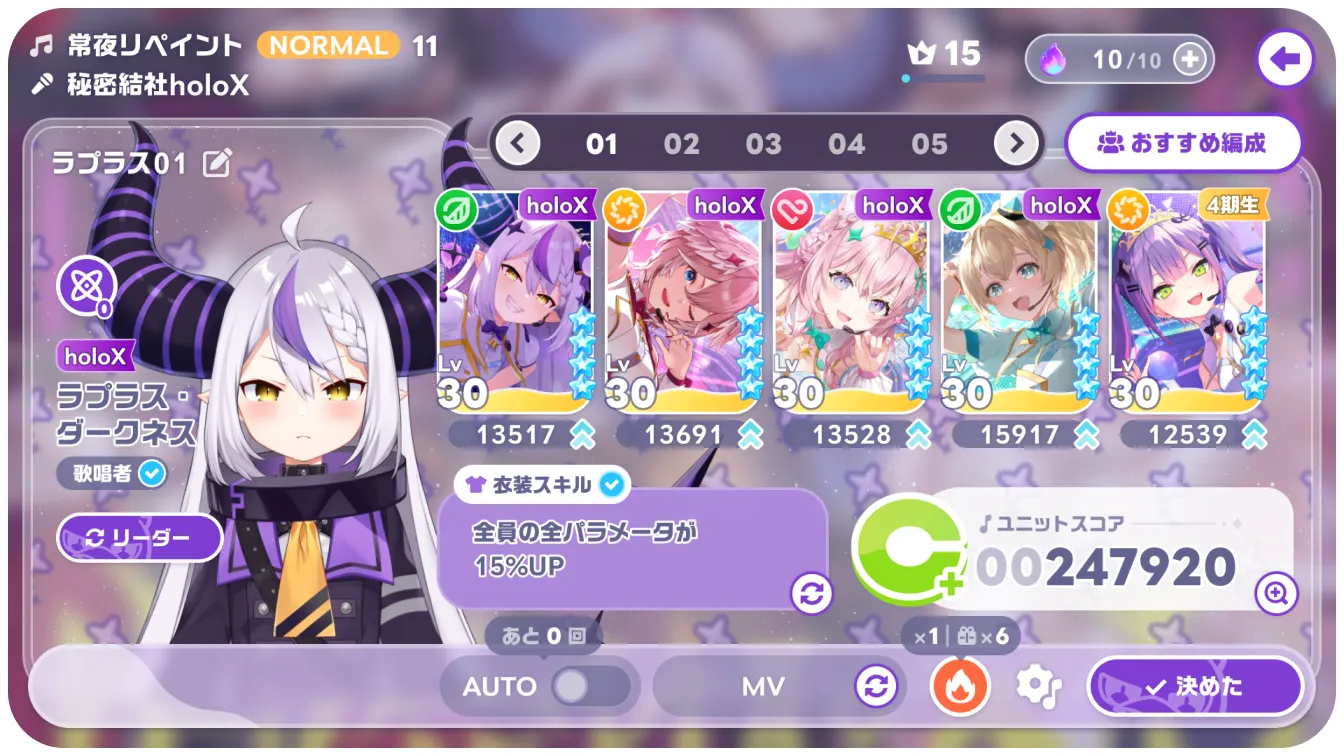
Each chart carries a level number within its difficulty. The scale (community-documented, per NamuWiki and gameplay videos):
- Levels 1–10 — beginner territory (EASY/NORMAL charts)
- Levels 11–20 — intermediate (NORMAL/HARD)
- Levels 21–30 — hardcore (HARD/EXPERT); the hardest regular charts sit at level 30
An EXPERT Lv.15 and an EXPERT Lv.29 are different games — check the level number, not just the difficulty word, when you pick a chart. Community uploads show EXPERT clears at Lv.24, Lv.26, Lv.29, and the first publicized Lv.30 clear.
HARD Lv.24 exists, and it will punish a player who cleared only "hard" charts at Lv.15. Read the level number. If you're bouncing off a chart, drop down the level scale, not just one difficulty tier.
Note Speed: The Difficulty Dial Nobody Labels
Note speed (1.00–12.00, default ~5.0) is the single biggest accessibility lever in the game. Higher speed = notes arrive faster but spaced wider; lower speed = notes crawl but pile up on screen. Counterintuitively, most players find higher speeds easier because dense sections become readable. The community consensus (ResetEra's OT thread and the beginner-tips videos):
- New to rhythm games: 7–8
- Comfortable with rhythm games: 8–10
- Advanced players: 10–12 (the All Perfect EXPERT Lv.24 runs show note speed 10.7 in the wild)
Try +2 over your current setting for ten minutes; if the density clears up, you've found your speed.
Auto-Play and the Accessibility Stack
- Auto-play consumes an auto ticket, clears the chart for you, and keeps rewards while capping the score (community-documented ~80% of manual). It's officially supported and useful for learning charts or grinding events — not a crutch, a tool (see the how to play guide).
- Rhythm support grays out off-beat notes — the best accessibility toggle for timing-challenged players.
- Mirror mode flips charts for hand-dominance issues.
- Auto-play matchmaking exists in multiplayer so auto users match only each other (multiplayer guide).
A Progression Plan to EXPERT
- Week 1: Clear all EASY charts of songs you like; raise note speed weekly (+1 until 8). Target: full combos on EASY Lv.5–8.
- Week 2: Move to NORMAL Lv.8–12; enable FAST/SLOW and correct your early/late bias.
- Week 3: HARD Lv.12–16; start using the daily holomem quest songs as your practice pool.
- Month 2: HARD Lv.18–22; when you're full-comboing those, sample EXPERT Lv.15–20.
- Beyond: EXPERT Lv.24+ is the top 10% of the player base — and where Create Chart's community content takes over (create chart guide).

Story and event score targets are calculated against your team, not your accuracy — the score formula is half execution, half roster. If a target feels unfair at 95% accuracy, the fix is the team building guide, not more practice.
FAQ
What difficulty levels are in hololive Dreams? Every chart has EASY, NORMAL, HARD, and EXPERT, each with a per-song level number from roughly 1 to 30.
What is the hardest difficulty? EXPERT, with the hardest regular charts at level 30. Community benchmark clears include FIRE BIRD at EXPERT Lv.29.
What note speed should I use? Most players run 8–10; beginners should start at 7–8 and climb, since higher speeds make dense charts readable. Speed range is 1.00–12.00.
Is hololive Dreams hard for beginners? The EASY tier is genuinely beginner-friendly, and auto-play, rhythm support, and mirror mode soften the learning curve. Hard content exists but is opt-in — the game scales from "never touched a rhythm game" to level-30 EXPERT.
Related Guides
- hololive Dreams How to Play — Controls, Notes, Scoring
- hololive Dreams Songs — Full Song List and Unlocks
- hololive Dreams Create Chart — Custom Chart Editor Guide
- hololive Dreams Members — Full Roster by Generation
- hololive Dreams Platforms — Steam, Mobile, Cross-Save, Deck
Official resources: Official rhythm tips on X · Steam store page · NamuWiki System · Wikipedia Last Updated: August 13, 2026
More hololive Dreams Guides
hololive Dreams songs: how many songs are in the game, the launch list by artist, unlock via holomem quests and Music Disks, and the best tracks to play first.
hololive Dreams system requirements: minimum and recommended PC specs, the 50 GB install and Windows 11 requirement, and how to fix performance issues.
hololive Dreams update history: Ver.1.0.100 and 1.0.101 patch notes, Streamer Mode, mini-game fixes, the announced roadmap, and what to expect next.