
Avatar Legends Fighting Game frame data — startup, active, recovery and advantage explained, universal Chi costs, and notes for Katara, Toph and Ozai.
Avatar Legends Fighting Game Frame Data: Startup, Advantage & Pressure
Avatar Legends: The Fighting Game is a fast, movement-heavy 1v1 fighter, and its frame data is the difference between "I got hit" and "I'm plus, my turn." The good news for lab monsters: the game ships with a frame meter on by default in Training mode, so you can read startup, active, recovery and advantage directly in-game — something even the IGN review called out as a great feature. This guide explains how frame data works in Avatar Legends specifically, the universal frame costs baked into the Chi/Chakra/Flow systems, and what the community's measured data shows for the characters we know best — with honest notes on what's still being verified on the launch build.

Here's what you'll learn:
- How startup, active, recovery and advantage work in Avatar Legends
- The frame meter and hitbox display built into Training mode
- Universal frame values: Flow Stance, cancels, guard reversal, throws, wakeups
- Measured frame data for Katara, Toph and Ozai
- Where the in-game counter and wiki data disagree (True Startup)
- How to turn frame data into pressure strings and punishes
Official resources: Steam store page · Official site · IGN review · SuperCombo Wiki — Avatar Legends · PlayStation Blog element breakdown
How Frame Data Works in Avatar Legends
Frame data is the same everywhere; Avatar Legends' quirk is what the four-button + Flow system does to it. The four values you'll see:
- Startup — frames before the move becomes active. Jab-speed moves run 6–9 frames; most heavies run 13–20.
- Active — frames the hitbox is live (typically 2–8).
- Recovery — frames before you regain control after the move.
- On Block / On Hit — your advantage if the first active frame connects. Negative on block = the opponent's turn; positive = yours. In this game, knockdowns matter a lot: moves that Hard Knockdown or wall-bounce on hit effectively give you huge oki even if the raw number is small.
Two game-specific rules matter more than individual numbers:
- The chain system — Light can chain into Medium or Heavy (mostly), and normals cancel into specials, EX specials and supers. That means a move's cancel options matter as much as its frame advantage: a -8 on block heavy that's special-cancelable is still a safe-ish ender, while a -4 that can't cancel is a real risk.
- The Flow/Chi economy — every Flow technique costs Chi, and several key options (Flow Escape, Guard Reversal) are 250 Chi with a regeneration lockout. See the how to play guide for the resource basics; the frame costs are below.
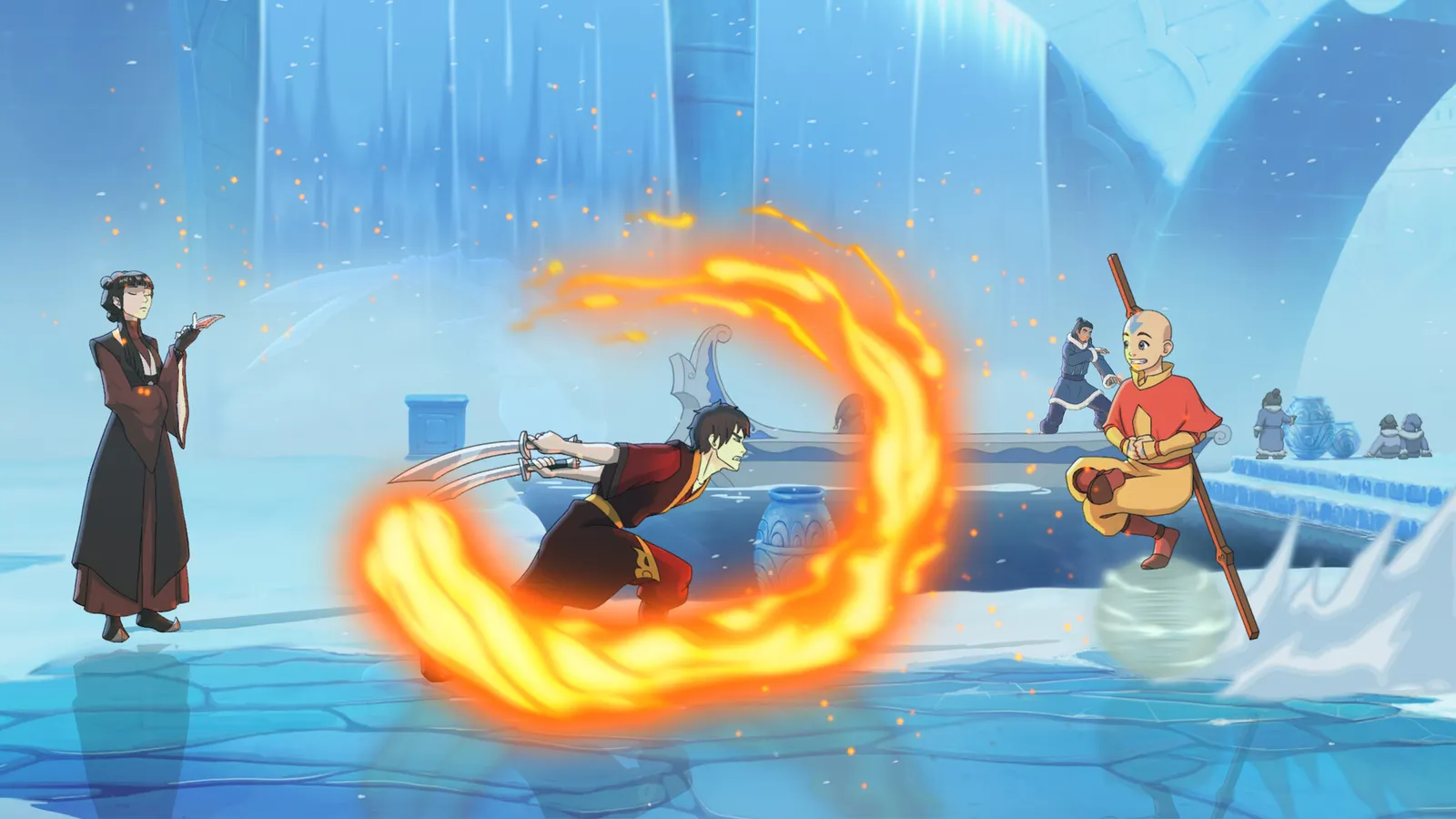
The Frame Meter in Training Mode
Per the IGN review, Avatar Legends turns a frame meter on by default in Training, and lets you toggle hitboxes — "so you can understand the actual range and vulnerability of an attack." That's the authoritative source for any number on this page: open Training, enable the frame display, and verify everything before you trust it in a match. The game's combo trials and Breakdown mode (which steps a combo input-by-input with frozen frames) are also built for practicing links at frame-perfect timing.
Official source: the IGN review confirms the frame meter is "on by default" in training, with hitbox display available — use it, because community wiki data on a day-one fighter is still being verified on the launch build (and patch 1.01, dated August 6 2026, made balance adjustments).
Universal Frame Values: Chi, Chakra and Flow Costs
Community-measured values (SuperCombo wiki, verified against the 1.00/1.01 build; mark anything with a "?" as unconfirmed):
| System | Value | Note |
|---|---|---|
| Chi max | 500 | Regenerates slowly; no regen during lockout |
| Flow Stance activation | 62.5 Chi | Universal parry; vulnerable to throws |
| Meditation (hold Flow Stance) | +1 Chakra per 60 frames | Free Chakra if the opponent respects you |
| Flow Cancel (Flow move → Flow move) | 50 Chi | |
| Flow Cancel (normal → Flow move) | 100 Chi | |
| Guard Reversal | 250 Chi + lockout | Fully invulnerable, high-property attack out of blockstun |
| Flow Escape | 250 Chi + lockout | Powered-up roll/air tech |
| Throw tech window | 8? frames | SuperCombo lists with a question mark — unconfirmed |
| Counter-hit extra hitstun | +6 frames | Universal; enables combos that don't work normally |
| Wakeup throw invulnerability | 8 frames | After getting up |
| Unbalanced (empty Chi) | All hits = counter hit; all throws = Critical Throw | The state to avoid at all costs |
Two things worth internalizing: counter-hits give +6 frames of hitstun universally, which is why mashing into an opponent's counter-hit is how you lose rounds; and Guard Reversal costs half your Chi gauge, so it's a panic button with a long-term price, not a free escape. The frame data + combos pages work together on this.
Katara Frame Data Notes
SuperCombo's Katara/Data page (community-measured; in-game display shows True Startup one frame less than these wiki numbers):
| Move | Startup | On Block | On Hit | Notes |
|---|---|---|---|---|
| 5A | 7 | -4 | -2 | Her fastest ground normal; Flow-cancelable |
| 5AA | 9 | -5 | -5 | |
| 5B | 10 | — | — | Mid, decent reach |
| 2C | — | — | — | Her only low normal |
| 6D/4D | Flow | — | — | Frostpath slide, cancels into everything |
The practical takeaways: Katara's jabs are not the fastest in the game and she loses scrambles up close (early alpha notes claimed she lacked a 7-frame normal entirely; the launch data shows 5A at 7). Play to her reach, not her buttons — her pressure comes from whips and stance mixups, not plus frames. Full kit in the Katara guide.
Toph Frame Data Notes
SuperCombo's Toph/Data page is the most complete launch data set:
| Move | Startup | On Block | On Hit | Notes |
|---|---|---|---|---|
| 5A | 8 | -8 | -4 | Big jab, Flow-cancelable |
| 2A | 7 | -6 | -6 | Her fastest button; hits low |
| 5B | 11 | -6 | KD +33 | |
| 5C | 13 | -16 | Ground Bounce | Armor frames 5–18 |
| 2B | 11 | -4 | KD +36 | Low |
| 2C | 15 | -17 | KD -9 | Armor frames 3–22 |
| j.A | 8 | ~+12 | ~+16 | Overhead |
| j.B | 13 | ~+18 | ~+21 | Overhead |
| Ground throw | 7 | — | KD +45 | 150 damage |
| Critical throw | 7 | — | KD +76 | 180 damage, drains 125 Chi |
| Air throw | 3 | — | KD +51 | Fast anti-air option |
Toph's story in three numbers: her 2A at 7 frames is the fastest low in her kit, her heavies carry armor, and her air throw at 3 frames startup is one of the game's best anti-air answers. The catch: her on-block numbers are bad (-8 to -17), so she has to earn her turn with armor trades and confirms, not blockstrings — exactly how the Toph guide frames her gameplan.
Ozai and the Rest of the Cast
Ozai (SuperCombo Ozai/Data): 5A at 7 frames (-4 on block), 5AA 7 frames (-3), 5B 10 frames (High attack, -3), boosted 5B 12 frames with an absurd disjoint and chip, 2A 9 frames (low, +4 on hit), 2C 14 frames (low, KD +36 on hit but -8 on block), j.2C 13 frames (overhead, his best jump-in), ground throw 7 frames, air throw 3 frames. His boosted moves change both properties and frame advantage (boosted 5C gets Element Surge and launches at +18 on hit) — full kit in the Ozai guide.
Notable cast-wide frame facts from the community data:
- Aang's j.B glide cancel: +7 on hit, +5 on block, and a massive +13 on counter-hit — one of the best counter-hit confirms in the game (his 6D follow-ups also beat low attacks).
- Azula's Focused mode just-frames: her 6H has a true one-frame release window, and perfect-release specials (Scorching Talon, Lightning Blast) are her best damage — see the Azula guide.
- Zuko's 22C (Sunborn Skyward Shot): a fire surge that's +6 on block in the corner and loops — the reason Zuko's corner pressure works despite his mid-tier reputation.
- Sokka: no heavy chains, so his frame data matters less than his Flow-cancel freedom — see the Sokka guide.
How to Use Frame Data in Real Matches
- Build pressure off plus moves. Korra's divekick (plus on block), Zuko's 22C corner loop, Azula's Firelord blockstring enders — these are your "my turn" buttons. Learn one per character you play.
- Punish minus moves. Anything -8 or worse on block that can't cancel is punishable by your fastest button or, better, your throw (throws are 7 frames and give knockdowns).
- Respect counter-hit frames. Because counter-hits add +6 hitstun, whiffed moves near a patient opponent are death sentences — that's the +13 Aang j.B into full combo scenario.
- Use the Training frame meter. Set the dummy to block, try your string, read the numbers. The game gives you the tool — the tier list and matchup discussions get a lot more legible once you know what plus/minus means for each fighter.
SuperCombo's wiki data is community-measured and notes that "the in game display shows True Startup, which is one frame less" than the wiki's startup column. If a number looks off by one frame, the in-game frame meter is the source of truth — always verify key punishes there.
Frequently Asked Questions
How do I read frame data in Avatar Legends: The Fighting Game?
Startup = frames before the hitbox appears, Active = how long it's live, Recovery = frames after, On Block/On Hit = your advantage. Negative on block means the opponent gets their turn; positive means yours. Cancel options and knockdown properties matter as much as the raw numbers.
Does Avatar Legends have a frame data display in training mode?
Yes — a frame meter is on by default in Training, with hitbox display available (the IGN review highlights it). Use it to verify every number before trusting it in a match.
What are the fastest normals in Avatar Legends?
Jabs run 7–8 frames at launch (Katara 5A and Ozai 5A at 7, Toph 2A at 7 as the fastest low). Air throws are the fastest option in the game at 3 frames startup (Toph, Ozai, Sokka).
How does the in-game frame counter differ from wiki frame data?
SuperCombo's wiki notes the in-game display shows "True Startup," one frame less than the wiki's startup column. When they disagree, the in-game frame meter is the source of truth.
What are the universal frame costs for Flow, Chi and Chakra in Avatar Legends?
Flow Stance costs 62.5 Chi to activate; Flow cancels cost 50 (Flow→Flow) or 100 (normal→Flow) Chi; Guard Reversal and Flow Escape each cost 250 Chi with a regen lockout; meditation grants +1 Chakra per 60 frames; counter-hits add +6 hitstun; throw tech window is ~8 frames (unconfirmed); wakeup throw invulnerability is 8 frames.
Related Guides
- Avatar Legends Fighting Game Combos
- Avatar Legends Fighting Game How to Play
- Avatar Legends Fighting Game Tier List
- Toph Avatar Legends Guide: Moves, Combos & Matchups
- Katara Avatar Legends Guide: Moves, Combos & Matchups
Last Updated: August 14, 2026
More Avatar Legends: The Fighting Game Guides
Full Avatar Legends Fighting Game roster — all 12 launch fighters by element, 36 supports, unlockable Avatar State Aang and Nightmare Korra, and Year 1 DLC.
Story Mode explained: Riftbending plot by DiMartino and Hedrick, 27 chapters, difficulty, playtime, and the Avatar Aang and Nightmare Korra unlocks.
Avatar Legends Fighting Game system requirements — official min specs, recommended hardware, Steam Deck, FPS performance, download size and controllers.
Avatar Legends Fighting Game tier list — S/A/B launch rankings, the best characters, beginner-friendly picks, and how patches will move them.
Aang guide: full airbender moveset (Air Scooter, Gliders, Wind Summon), which support to pick — Gyatso, Appa or Momo — plus combos, critical hits and strategy.
Avatar State Aang Avatar Legends guide — unlock via Chapter 11-1 or cheat code, plus his zoning moveset, Harmonic Drift, supports and 875 health.
Azula guide for Avatar Legends: The Fighting Game — Focused vs Firelord mode, oil traps, just-frame moves, supports (Lo and Li, Joo Dee, Ursa) and combos.
Katara guide for Avatar Legends: The Fighting Game — waterbending moveset, Water Whip Stance mixups, the best support (Kanna, Pakku or Hakoda), and combos.