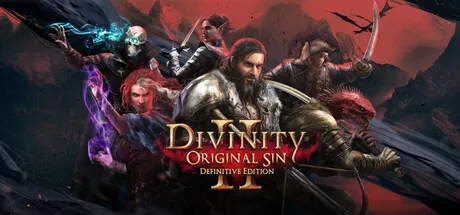
DOS2 multiplayer explained: campaign co-op for 2-4 players, split-screen on PC/PS/Xbox (not Switch), Game Master Mode and why there's no crossplay.
Divinity 2 Multiplayer Guide — Co-Op, Split-Screen and Game Master Mode
Divinity Original Sin 2 supports up to four players in campaign co-op (online, or a mix of local and online), two-player split-screen on PC, PlayStation and Xbox, a Game Master Mode where one player runs a custom tabletop-style campaign for up to four others, and a competitive Arena mode — but there is no cross-platform play anywhere and the Switch version has no split-screen at all. The entire 100-hour campaign is playable cooperatively from start to finish, which is why DOS2's multiplayer has a reputation as one of the best co-op experiences in RPG history — it won the BAFTA for Multiplayer in 2018. This guide explains every mode, how to set them up, and the platform differences that decide how you play with friends.
Official resources: Steam store page · Larian — DOS2 current-gen FAQ · fextralife wiki — Multiplayer · Co-Optimus — DOS2 co-op info · Wikipedia — BAFTA Multiplayer winner
The Multiplayer Modes at a Glance
| Mode | Players | What it is |
|---|---|---|
| Campaign co-op | 2–4 online, or 2 local split-screen + up to 4 total mixed | The full story campaign, shared world, drop-in/drop-out |
| Game Master Mode | 1 GM + up to 4 players | Tabletop-style custom campaigns the GM builds live |
| Arena Mode | 2–4 (PvP, hot-seat supported) | Competitive battles with preset loadouts |
The Steam store's own description sets the headline: "Up to 4 player online and split-screen multiplayer. Play with your friends online or in local split-screen with full controller support. Game Master Mode: Take your adventures to the next level and craft your own stories."
Official source: Steam store page — Divinity: Original Sin 2 Definitive Edition: "Up to 4 player online and split-screen multiplayer. Play with your friends online or in local split-screen with full controller support. Game Master Mode: Take your adventures to the next level and craft your own stories."
Campaign Co-Op: The Full Game, Together
The headline feature is that the entire campaign is co-op — no separate mode, no truncated content, just the same four-act story with human players controlling party members. The details that matter:
- Online co-op for up to 4 players. The host creates the campaign, and each player controls one (or more) of the party's four characters. Anyone can host; the host's save is the campaign save (fextralife's Multiplayer page covers the lobby system).
- Drop-in/drop-out. Players can join and leave a campaign freely — the party continues with fewer people, and the game scales nothing down, which is part of the fun.
- Mixed local + online on PC. Two players on one PC (two controllers, split-screen) can be joined by two more online — Co-Optimus documents this as supported configuration ("two local players can be joined online by two other players"). LAN play is also supported on PC.
- Split-screen is 2-player on PC, PlayStation and Xbox — the screen dynamically splits when players move apart and rejoins when they're close (Co-Optimus's co-op FAQ confirms the dynamic split).
- Loot is free-for-all. Anyone can grab anything — gear, gold, skill books — though players can trade freely, so theft-from-allies is a running joke in the community rather than a real problem.
How to start: from the main menu, choose Story → Multiplayer → Create. The lobby lets you set who can join (Anyone, Friends Only, Invite Only, Nobody), invite friends, and pick difficulty. Private lobbies and friend invites work as expected; public games are open to anyone browsing the lobby.
First, only the host's save persists — if the host quits, the session ends (the game will prompt you to hand off or save). Second, dialogue is per-character: whoever initiates a conversation gets the choices, though companions can interject. If you want consistent storytelling, agree on who "the leader" is before each major conversation.
Split-Screen: Which Platforms Have It
This is the biggest platform difference in the game, and it trips people up constantly:
- PC, PS4, PS5, Xbox One, Xbox Series X|S — yes, 2-player local split-screen with two controllers.
- Switch and Switch 2 — no. No split-screen campaign co-op exists on either Switch version. The Switch only supports online co-op and hot-seat Arena play — the Switch guide covers this in detail.
- Steam Remote Play Together is a PC workaround for distance players: the host streams split-screen to a friend over Steam, which effectively gives the remote friend a couch-co-op seat. DOS2 lists Remote Play Together support on its Steam page.
If couch co-op is the entire reason you're buying, get it on PC, PS5 or Xbox — not Switch.
Game Master Mode: D&D on Your PC
Game Master Mode is DOS2's tabletop RPG mode — the community's favourite answer to "is this like D&D?" It lets one player act as Game Master and run a custom campaign for up to four players, using the game's full engine: place NPCs, spawn enemies, control the story, drop loot, and improvise encounters live while the players control their characters (Co-Optimus's FAQ confirms the 1 GM + 4 players setup, and the Steam description calls it the mode where you "craft your own stories").
Key facts:
- 1 GM + up to 4 players — five people total, the only mode that exceeds the four-player cap.
- The GM is a god with a UI — the GM can teleport players, spawn enemies, trigger events, and edit the world live mid-session.
- Progress saves on the GM's machine, and campaigns can be built ahead of time or improvised.
- It's the closest Larian has come to D&D — which is why the game has a small but dedicated community of GMs publishing custom campaigns in the Steam Workshop.
Arena Mode: Competitive Multiplayer
Arena Mode is DOS2's competitive option: two teams fight each other in preset arenas, either with premade loadouts or characters you build. It supports up to four players, can be played hot-seat on a single controller (the only local multiplayer on Switch), and is entirely separate from the campaign — no campaign characters, no campaign progression. It's a fun sideshow rather than the main event; the campaign co-op is what the game is known for.
Crossplay: There Is None
The shortest section in this guide, and the most important for some readers: DOS2 has no cross-platform multiplayer on any platform. PC players can only play with PC players, PS5 players only with PS5 players, and so on — there is no PC-to-console or console-to-console crossplay. The wiki's Multiplayer page states it plainly, and Larian has never added it.
One platform-specific caveat surfaced with the December 2025 current-gen releases: Xbox One and Xbox Series players reportedly can't play online together after the Series X|S upgrade, because Smart Delivery forces the new version on modern consoles (players flagged this on Pure Xbox's coverage). If you're about to start a cross-generation co-op campaign on Xbox, agree on which version both of you will run first.
The one cross-platform bridge that does exist is save transfer, not play: the Switch version syncs saves with Steam through your Larian account (covered in the Switch guide). That lets you bounce devices — not play together across them.
Platform-by-Platform Multiplayer Summary
| Platform | Online co-op | Split-screen | Arena | Crossplay |
|---|---|---|---|---|
| PC (Steam/GOG) | 2–4 (free) | Yes (2p) | Yes | No |
| PS4 / PS5 | 2–4 (PS Plus) | Yes (2p) | Yes | No |
| Xbox One / Series X|S | 2–4 (Game Pass Core) | Yes (2p) | Yes | No |
| Switch / Switch 2 | 2–4 (NSO) | No | Hot-seat | No |
Online play on consoles requires the platform's online subscription (Nintendo Switch Online, PlayStation Plus, or Xbox Game Pass Core/Ultimate) — the Xbox guide and PS5 guide have the platform-specific details.
Co-Op Tips That Actually Work
- Agree on one damage type before you build. The armour system punishes mixed parties — an all-physical or all-magical group clears fights twice as fast. Our build guide explains why.
- One thief, one barterer. Designate a single pickpocket and a single merchant character — civil abilities only count once per party, and a dedicated thief funds everyone's skill books.
- Let the host talk to quest NPCs. Dialogue outcomes and persuasion checks belong to the speaker; a consistent "face" avoids wasted persuasion points.
- Remember it's drop-in. If someone can only play Fridays, that's fine — DOS2 sessions don't need all four players present.
- Use the arena for warm-ups. If your group is new, a few Arena matches teach the combat loop without touching campaign progress.
Frequently Asked Questions
How many players can play Divinity Original Sin 2 multiplayer?
Up to four in campaign co-op (online, or two local + two online on PC), and up to five in Game Master Mode (one GM + four players). Arena supports up to four in PvP.
Does Divinity Original Sin 2 have split-screen co-op?
On PC, PS4, PS5, Xbox One and Xbox Series X|S — yes, two-player dynamic split-screen with two controllers. On Switch and Switch 2 — no, split-screen doesn't exist there; only online co-op and hot-seat Arena.
Is there crossplay in DOS2?
No. DOS2 has no cross-platform multiplayer on any platform — PC, PlayStation, Xbox and Switch are all isolated. The Switch's Steam cross-saves are save transfer, not crossplay.
What is Game Master mode in DOS2?
A tabletop-style mode where one player acts as Game Master and runs a custom campaign for up to four players, spawning enemies, placing NPCs and improvising the story live using the game engine. Progress saves on the GM's machine.
Can you play the whole DOS2 campaign co-op?
Yes — the entire four-act campaign is fully co-op for 2–4 players, drop-in/drop-out, on every platform (online). Only local split-screen availability varies by platform. The campaign structure is covered in the walkthrough guide.
Related Guides
- Divinity Original Sin 2 Build Guide — Best Builds & Stats
- Divinity Original Sin 2 on Switch — Co-Op, Cross-Saves, Performance
- Divinity Original Sin 2 on Xbox — Xbox One and Series X|S Guide
- Divinity Original Sin 2 on PS5 — Definitive Edition Guide
- Valheim Crossplay Guide — Cross-Platform Multiplayer Explained
Last updated: August 13, 2026.
More Divinity: Original Sin 2 Guides
DOS2 max level explained: the Definitive Edition cap of 22, the full XP table, per-act level targets, how to reach the cap and mods that raise it.
DOS2 on PS5: the free December 2025 upgrade, 60 FPS improvements, save transfer from PS4, PS5 Pro enhancements, pricing and whether it is worth it.
All DOS2 races explained: Human, Elf, Dwarf, Lizard and Undead — racial passives, racial skills, dialogue tags, the best race per build and the Elf deep-dive.
The complete Divinity Original Sin 2 review: critic scores, the BAFTA-winning co-op, the Definitive Edition, every DLC and how the game holds up in 2026.
What kind of RPG is Divinity Original Sin 2? Genre, turn-based tactical gameplay, the classless custom ruleset (not D&D) and how it compares to Baldur's Gate 3.
DOS2 on Steam Deck: Verified status, real performance, the best settings (40 FPS ~2h45m battery, 30 FPS ~3h30m), launcher fixes and mod support.
DOS2 on Switch: release date, Steam cross-saves, online co-op with no split-screen, performance, the free Switch 2 upgrade and whether it is worth buying.
The 2026 verdict on Divinity Original Sin 2: Metacritic and Steam scores, what critics and players say, who should buy it, and whether it still holds up.