
DOS2 on Steam Deck: Verified status, real performance, the best settings (40 FPS ~2h45m battery, 30 FPS ~3h30m), launcher fixes and mod support.
Divinity Original Sin 2 Steam Deck Guide — Performance, Settings and Verified Status
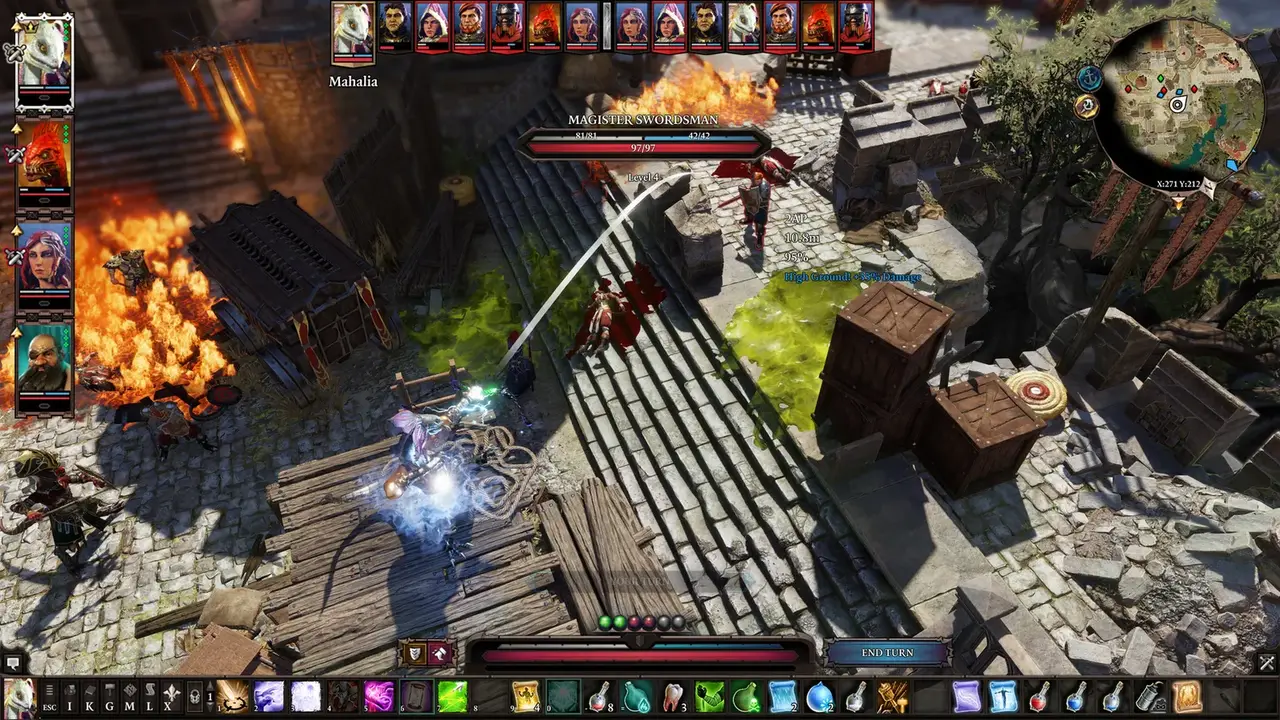
Divinity Original Sin 2 Definitive Edition is Steam Deck Verified and runs out of the box — no Proton tweaks required for most players, with community-verified settings that deliver a smooth 40 FPS at High quality for roughly 2 hours 45 minutes of battery life, or 30 FPS with FSR for over 3.5 hours. Because it's a turn-based game, even the lower frame rates feel fine, which makes the Deck one of the best ways to play the 100-hour campaign portably — with the full PC mod scene intact, which the Switch version can't claim. This guide covers the Verified status, real-world performance, the recommended settings, known quirks and their fixes.
Official resources: Steam store page — Deck Verified badge & reviews · Nerdvana Central — best Steam Deck settings · Larian — current-gen releases FAQ · ProtonDB — DOS2 compatibility reports · Steam discussions — Deck threads
Is DOS2 Steam Deck Verified?
Yes. The Steam store page carries the official Deck Verified badge for Divinity: Original Sin 2 Definitive Edition — Valve's own verification process checks the game runs from a fresh install, works with the Deck's default controller configuration, uses controller glyphs that match the hardware, and hits an acceptable performance target. The store listing's compatibility data confirms all four Verified criteria pass (game startup functional, default controller config fully functional, controller glyphs match device, default configuration is performant).
That official status matches community experience: the ProtonDB reports for DOS2 are overwhelmingly positive, and the Nerdvana Central settings guide sums it up as "for most players, Divinity: Original Sin 2 runs perfectly out of the box."
Official source: Steam store page — Divinity: Original Sin 2 Definitive Edition — Deck Verified badge with all four Valve verification criteria passing, alongside a 95% positive rating from more than 83,000 user reviews.
Real-World Performance
The honest picture, based on the community's tested settings and reports:
- Out of the box: the game launches and runs without Proton configuration. The built-in launcher is the only common annoyance — some players hit a black screen at launch that a launcher skip fixes (see below).
- Frame rates: a 40 FPS cap at High quality preset at 1280×800 is the community's "best balance" — the game holds it in almost all areas, and the few heavy zones (large town maps, surface-heavy fights) are turn-based anyway, so dips barely matter.
- 60 FPS is achievable in lighter areas at lower settings, but the turn-based nature means it's rarely worth the battery cost — 40 FPS on the Deck's 40 Hz refresh is the sweet spot for most players.
- Battery: roughly 2h45m at the 40 FPS / High preset with a 13W TDP cap, and 3h30m+ at the 30 FPS battery-saving profile (Nerdvana Central published both configurations with measured numbers).
Recommended Settings
The community-tested configuration that most players run (Nerdvana Central's guide):
Balanced (40 FPS, ~2h45m battery):
| Setting | Value |
|---|---|
| Resolution | 1280×800 |
| Quality preset | High |
| Frame cap | 40 (in-game and in SteamOS) |
| Shadow quality | Medium |
| Post-processing | SMAA 1x |
| Depth of field / motion blur | Off |
| God rays / bloom | Off |
| SteamOS TDP limit | 13W |
Battery saver (30 FPS, ~3h30m): drop to 960×600 windowed with SteamOS FSR upscaling, low preset, 30 FPS cap.
DOS2's UI text is small at 800p. The community-recommended fix is the "Increased Text Size" mod (available through the Steam Workshop), which scales up dialogue and inventory text for the Deck's screen. It's a huge quality-of-life win and takes seconds to install.
Known Issues and Fixes
- The launcher black screen. A minority of players hit a black screen when the launcher opens. Fix: add
--skip-launcherto the game's launch options in Steam (right-click → Properties → Launch Options). This is the most-cited fix in the Steam Deck discussion threads. - .NET Core installation errors (older Proton versions). Some players hit missing-runtime errors on fresh installs, mostly in 2023-era Proton versions; switching to Proton Experimental or GE-Proton resolved it for most. Modern Proton builds (9/10+) install the runtime cleanly — the Steam discussion thread documents the saga and the workarounds.
- Save/cloud: Steam Cloud works normally, so your Deck session syncs with your desktop — the same cross-device flow the Switch version gets via Larian accounts (Switch guide compares the two systems).
Mods on Deck: The Full PC Scene
This is the Deck's biggest win over the Switch: Steam Workshop mods work on the Deck. The Deck runs the same PC build, so subscribing to Workshop mods (build overhauls, new skills, quality-of-life packs, the Increased Text Size mod, even script-extender-adjacent mods that don't need extra binaries) works exactly as on desktop. Mods that need the Norbyte Script Extender require a small amount of extra setup (running the game once with the extender in place), but the popular Workshop content — the stuff 95% of players use — is one-click.
If modding is your priority, that alone settles the platform question: the Steam Deck vs Switch comparison in the Switch guide lays out the trade-offs.
Deck vs Switch: The Handheld Showdown
| Steam Deck | Switch / Switch 2 | |
|---|---|---|
| Verified/performance | Verified; 40 FPS high, 60 FPS possible | 30 FPS (Switch 2 docked 60) |
| Mods | Full Steam Workshop | None |
| Cross-saves | Steam Cloud (free) | Steam via Larian account |
| Split-screen | Yes (2p, docked) | No |
| Price of entry | Full PC price + Deck | Frequent 50% sales |
If you own both, the Deck is the better DOS2 handheld: mods, higher frame rate, split-screen when docked, and Steam Cloud saves. The Switch wins on price (frequent $25 sales) and battery convenience if you don't want to carry a Deck. The full Switch story is in the Switch guide.
Frequently Asked Questions
Is Divinity Original Sin 2 Steam Deck Verified?
Yes — DOS2 Definitive Edition carries the official Steam Deck Verified badge, with all four Valve verification criteria passing (startup, controller config, glyphs, performance). ProtonDB community reports are overwhelmingly positive.
How well does DOS2 run on Steam Deck?
Very well. The community standard is a 40 FPS cap at High quality, 1280×800, which holds in almost all areas; 60 FPS is achievable in lighter zones at lower settings. Because combat is turn-based, even 30 FPS is comfortable. The only common annoyance is a launcher black screen, fixed with --skip-launcher.
What are the best Steam Deck settings for DOS2?
1280×800, High preset, 40 FPS cap, shadows on Medium, SMAA 1x, motion blur/DoF/god rays off, with a 13W TDP limit — roughly 2h45m battery. For max battery (3h30m+), drop to 960×600 windowed with FSR and a 30 FPS cap. The Increased Text Size Workshop mod fixes small UI text.
How long does DOS2 battery last on Steam Deck?
About 2 hours 45 minutes at the balanced 40 FPS / High profile, and 3.5+ hours on the 30 FPS battery-saving profile — measured in the community's published settings guides. Charging during a turn-based game means battery anxiety is minimal anyway.
Do DOS2 mods work on Steam Deck?
Yes — the Deck runs the full PC build, so Steam Workshop mods work one-click, including quality-of-life mods like Increased Text Size. Only mods requiring the Norbyte Script Extender need extra setup. This is the Deck's decisive advantage over the Switch version, which has no mods at all.
Related Guides
Last updated: August 13, 2026.