Fields of Mistria Mods — The 10 Best QoL Mods & How to Install (1.0)

Best Fields of Mistria 1.0 mods: MOMI installer setup, 10 quality-of-life mods that work in 1.0, community favorites from Nexus Mods, and the July 2026 engine-change warning.

Last Updated: August 11, 2026

Fields of Mistria Mods — The 10 Best QoL Mods & How to Install (1.0)

Fields of Mistria 1.0 is a great farming sim on its own, but a handful of community mods make daily life dramatically less tedious — bigger starting money, auto-sorted chests, craft timers that stop existing, and teleportation. Every mod in this guide is installed through MOMI (Mods of Mistria Installer), the community loader that all current Fields of Mistria mods rely on.

One warning before anything else: NPC Studio switched engines in July 2026 (GameMaker → the in-house "Maybe" engine). Any mod released before July 2026 is outdated and will not work — always check the mod's last-update date before downloading. Everything below is confirmed working on 1.0.

Here's what you'll learn:

  • How to install MOMI and set up your mods folder in under five minutes
  • The engine-change warning and how to spot an outdated mod
  • The 10 best 1.0 mods, tested and confirmed working (per IGN's 1.0 testing)
  • More community favorites: save-anywhere, no-stamina, enemy health bars and more
  • Non-mod tools like the mistria.app farm planner that improve the game without touching files

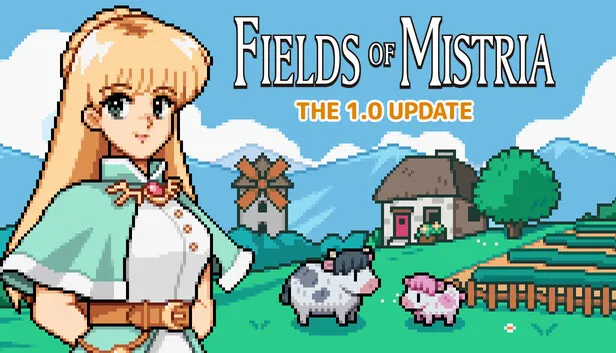
Fields of Mistria official key art.


How to Install Fields of Mistria Mods (MOMI)

All current Fields of Mistria mods load through MOMI — Mods of Mistria Installer by Garethp, available on GitHub and Nexus Mods. It's a lightweight installer (not a framework like BepInEx): you drop mods into a folder, run MOMI, and it patches them into the game. Steam Deck and Linux are supported.

Installation, step by step:

  1. Create a mods folder. On Windows, make a folder named mods inside your Fields of Mistria game folder, right next to FieldsOfMistria.exe. On Steam Deck or Linux you can use the same mods folder, or create mistria-mods in your home directory.
  2. Download MOMI from the GitHub releases page (github.com/Garethp/Mods-of-Mistria-Installer) — or from its Nexus Mods page.
  3. Run the installer. Double-click it. If it can't detect the game location, move the installer next to the Maybe.toml file in your game folder and try again.
  4. Click Install. Any mods sitting in your mods folder show up in a list; MOMI installs them all.
  5. Re-run MOMI after every game update. Game patches overwrite mods — one click re-installs everything.
The July 2026 engine-change warning

Fields of Mistria switched from GameMaker to the in-house "Maybe" engine on July 7, 2026. Every mod released before that date is outdated and unsupported. A mod's Nexus page shows its last update date — anything earlier than July 2026 won't load. When in doubt, skip it and check the mod description.

If the installer complains: it "can't find the mods folder" → create mods next to Maybe.toml (or mistria-mods in your home dir on Linux); it "didn't find any mods" → make sure each mod folder contains a manifest.toml file (no manifest = incompatible, waiting on the author to update); and MOMI cannot install .zip files — extract mods first.

Backup your save before modding

Mods are community-made and single-player safe, but a bad install can corrupt a save. Your saves live in AppData/Local/FieldsOfMistria/saves on Windows — copy the folder once before installing anything. It takes ten seconds and completely removes the risk.


The 10 Best Fields of Mistria 1.0 Mods

These ten mods are confirmed working in 1.0. All are on Nexus Mods — search the game's mod page (nexusmods.com/fieldsofmistria) by author or name.

Mod Author What it does Key binding
Starting Money Boost ghxstgutzz 5,000 Tesserae instead of 50 at new save
Auto Sort Chests Maver1ckGaming Chests auto-sort on open and on change Settings toggle
Crop Timers annanomoly Shows time left until crops are harvestable Configurable hotkey
Immediate Crafting BeneathThePlass Sets all crafting timers to zero
Access Storage Anywhere BigManViggo Open all your chests from anywhere F6 / chest icon
Item Spawner guillotine Spawn any item in the game F8
All Cosmetics Unlocked RufusTheBlueWolf Unlocks all hairstyles/clothing/accessories
Map NPC Labels MorthyJD Shows NPC names when hovering the map
Enchanted Blink SerenaEnchanted Teleport to your cursor in world or on map Middle-click
Advanced Time Controls annanomoly Fine-tune day length up to 500% speed Settings

Starting Money Boost (ghxstgutzz). A fresh save starts you with only 50 Tesserae — enough for a few seeds and nothing else. This mod gives you 5,000 Tesserae instead, so your first week can be spent farming and exploring rather than grinding forage sales. The cleanest "quality of life" start boost on the list.

Auto Sort Chests (Maver1ckGaming). Chests sort themselves the moment you open them or add/remove an item. It also adds a toggle in the Settings menu, so you can switch it off if the auto-sorting ever fights your own organisation system.

Crop Timers (annanomoly). Displays exactly how long each planted crop has until it's ready to harvest — no more guessing whether the parsnips finish before the season flips. Hotkey toggling and config options live in the mod's config file.

Immediate Crafting (BeneathThePlass). Turns every crafting timer to zero. Build, cook and process instantly. It's the mod most people install second, right after the money boost, because waiting on timers is the single most common complaint in the community.

Access Storage Anywhere (BigManViggo). Opens your storage from anywhere — not just one chest, but all of them, with renaming support so you can keep track. Bound to F6 or the chest icon on the inventory screen. A massive time-saver once you have ten chests across the farm.

Item Spawner (guillotine). Press F8 to open a searchable menu of every item in the game, sorted by category (Furniture, Fishing and Diving, Crafting Recipes, Ranching…). Click any item and it lands in your inventory. Useful for testing farm layouts or skipping a grind you've done five times already.

All Cosmetics Unlocked (RufusTheBlueWolf). Unlocks every base-game hairstyle, outfit and accessory on new save files. If you've ever wanted the long hair or the coat that's normally locked behind endgame, this removes the wait at character creation.

Map NPC Labels (MorthyJD). The vanilla map shows NPC icons but no names — this mod reveals each villager's name when you hover their icon. Combined with the birthday list in our calendar guide, you'll never miss a birthday again.

Enchanted Blink (SerenaEnchanted). Teleports you to wherever your mouse cursor is — in the overworld or on the map, including places you've already unlocked. Middle-click to blink. It compresses the day-to-day walking that eats most of a Fields of Mistria play session.

Advanced Time Controls (annanomoly). Vanilla day length is capped at Standard / Longer / Longest. This mod lets you fine-tune it up to 500% from the Settings → Time Controls menu. Farming days feel twice as long without breaking anything.

The grind-reduction trio

Starting Money Boost + Immediate Crafting + Access Storage Anywhere cover 80% of the friction people quit over: no money panic, no waiting, no running back to base. Install those three first and everything else is bonus.


More Community Favorites

Beyond the tested ten, these mods keep showing up across community lists (Escapist, Sportskeeda and Reddit) and are worth a look once you're comfortable with MOMI:

  • Save Anywhere — quicksave by pressing the Home key instead of waiting for the end-of-day save.
  • No Stamina — your stamina bar never depletes; chop the whole forest in one day if you want.
  • Pet Food Crops — adds easy-to-grow crops that bloom daily to keep pets fed and raise their bond with minimal effort.
  • Enemy Health Bars — shows remaining HP on mine and overworld enemies, handy for the deeper mine floors.
  • Quest Simplifier — cuts quest item requirements to one and shortens wait times between quests, for faster story runs.
  • Mill Remote Access — access the mill's processing menu with F12 instead of walking there every day.
  • Seasonal & Forageable Crops in the Shop — buy forage plants as seeds and grab off-season seeds from the shop.
  • All-Season Crops — plant, grow and harvest any crop in any season; plants persist through season changes.
  • Friendship Multiplier — double or quadruple heart points, or apply a flat +100 per social interaction, for faster romance.

None of these change the game's data permanently — uninstall by removing the mod from the mods folder and re-running MOMI.


Non-Mod Tools Worth Knowing

Not every improvement requires touching your game files. Two browser tools fill real gaps without any install risk:

  • mistria.app — a progress tracker plus farm layout planner. Upload your save file to see gift/donation/recipe progress, or plan your field layout, sprinkler placement and building arrangement before committing in-game.
  • The official Wiki (fieldsofmistria.wiki.gg) — gift finder, fishing planner and crop profit comparisons all in one place; handy alongside any mod list because it documents the vanilla baseline you're modifying.
Mods and online services

Fields of Mistria is single-player only, so mods won't get you banned anywhere. But avoid running heavily modified saves with the Steam Cloud sync enabled if a mod ever behaves oddly — cloud saves can overwrite a modded save with a vanilla one (or vice versa). Back up locally and you're safe.


FAQ

Do mods work in Fields of Mistria 1.0? Yes. The ten mods in this guide are confirmed working on 1.0, as long as you install them through MOMI and they were updated after the July 2026 engine change.

How do you install mods in Fields of Mistria? Download MOMI (Mods of Mistria Installer) from GitHub or Nexus, create a mods folder next to FieldsOfMistria.exe, drop extracted mods inside, run MOMI and click Install. Re-run MOMI after each game update.

What is MOMI in Fields of Mistria? MOMI (Mods of Mistria Installer) is the community mod loader for Fields of Mistria, created by Garethp. It detects your game folder, patches compatible mods in from your mods folder, and re-installs them after updates.

Where do I download Fields of Mistria mods? Nexus Mods hosts the vast majority — browse nexusmods.com/fieldsofmistria. MOMI itself is on GitHub (Garethp/Mods-of-Mistria-Installer) and Nexus.

Do old Fields of Mistria mods still work? No. Fields of Mistria changed engines on July 7, 2026, so any mod released before July 2026 is outdated and won't be supported. Check each mod's last-update date before downloading.

Are Fields of Mistria mods safe to use? Generally yes — it's a single-player game and mods won't get you banned. Backup your saves (AppData/Local/FieldsOfMistria/saves on Windows) before installing, use mods updated after July 2026, and you're fine.


Last Updated: August 11, 2026 — mod list verified against 1.0 (IGN testing) and the official MOMI README.