
Waterpark Simulator system requirements: official minimum and recommended PC specs (CPU, GPU, RAM, 20GB), what hardware actually runs it, and Steam Deck notes.
Waterpark Simulator System Requirements & PC Specs (2026)
Waterpark Simulator is a lightweight game on paper — the official minimum asks for an i5-3550, 8 GB of RAM and a GTX 1050 — but it's CPU-bound in practice: the simulation slows down when the park fills with ragdolling guests, and that matters more than raw GPU muscle. Here are the official specs straight from the Steam listing, plus what actually happens on a mid-range machine, on a laptop, and on a Steam Deck.
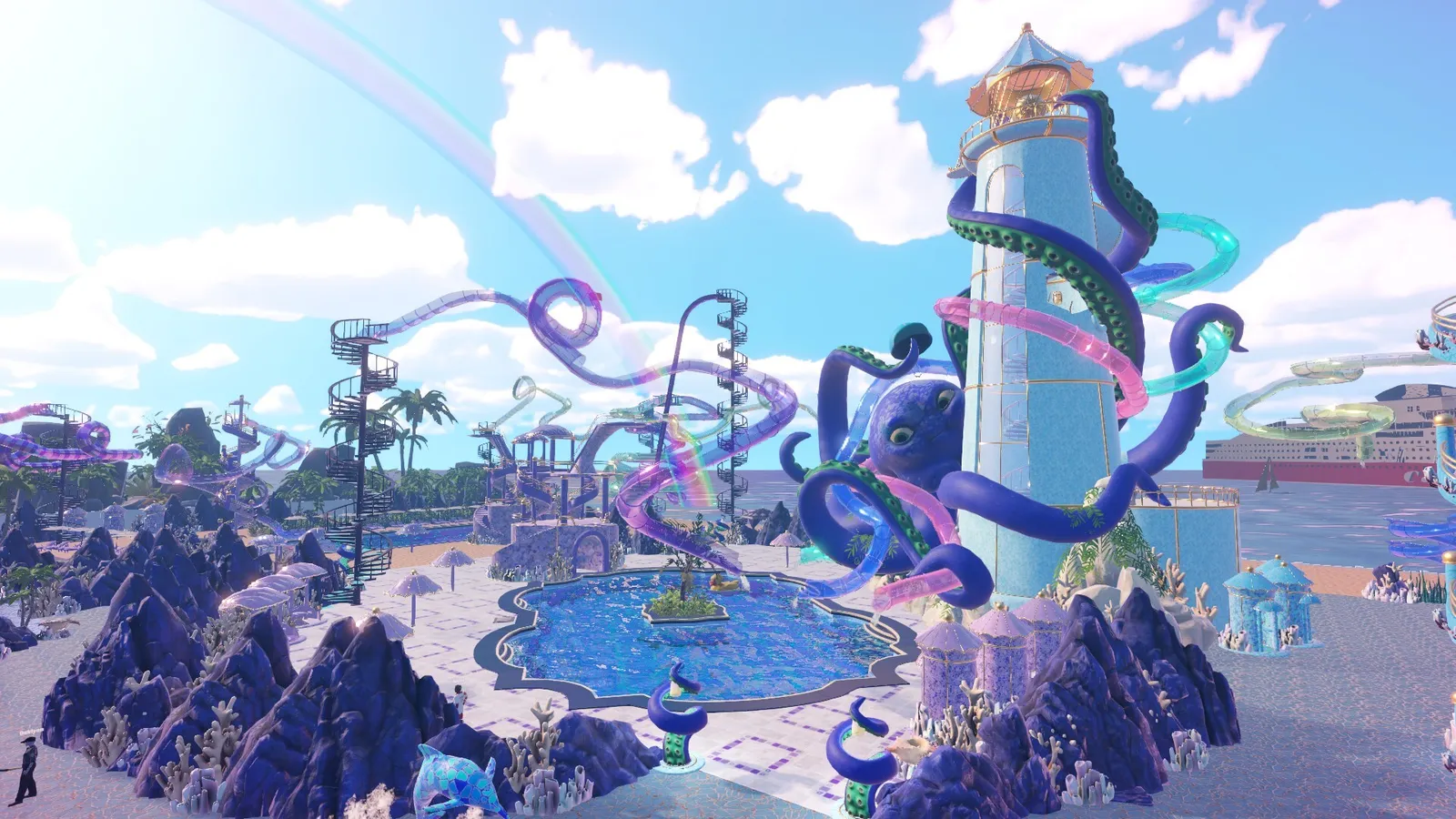
Here's what you'll learn:
- The exact minimum and recommended specs from the official store page
- Why the game is CPU-bound and what that means for your hardware choice
- Real-world performance expectations on mid-range and older GPUs
- Steam Deck compatibility status and settings (with a link to the full Deck guide)
- Mac, Linux, and cloud-gaming options
Official resources: Steam store page · Steam Support — system requirements · IGN announcement · Official Waterpark Simulator site
Official Minimum & Recommended Requirements
These are the specs CayPlay lists on the Steam page for the 1.0 build (July 31, 2026). We pulled them directly from the store's system-requirements block:
| Component | Minimum | Recommended |
|---|---|---|
| OS | Windows 10 (64-bit) | Windows 10 (64-bit) |
| Processor | Intel Core i5-3550 | Intel Core i5-6400 |
| Memory | 8 GB RAM | 8 GB RAM |
| Graphics | GeForce GTX 1050 / Radeon RX 570 | GeForce GTX 1070 / Radeon RX Vega 56 |
| DirectX | Version 11 | Version 11 |
| Storage | 20 GB available space | 20 GB available space |
Per the official Steam system requirements, Waterpark Simulator needs 20 GB of disk space and Windows 10 64-bit on both tiers.
Two things jump out: 8 GB RAM on both tiers (the game is not memory-hungry), and the GPU gap is wider than the CPU gap — the recommended GPU is roughly three tiers above the minimum. That's because higher graphics presets, more guests, custom slides, and the 1.0 night lighting all load the GPU, while the core simulation itself mostly chews CPU.
Can My PC Run It? Real-World Performance
The spec sheet undersells the real bottleneck. Waterpark Simulator is a first-person Unity sim where dozens of guests ragdoll, slip, and tumble at once. Players on strong hardware report the same pattern: high FPS on an empty morning park, then framerate dips the moment guests start slipping in puddles and physics kicks in.
- A player on an RTX 5070 reported swings from 160 FPS down to 90 FPS "in seconds" on a busy park (Steam Community performance thread).
- An RTX 3090 Ti + Ryzen 5800X3D owner still hit stutter with large guest counts until they capped FPS at 60 and lowered graphics (Steam Community stuttering thread).
- The community consensus fix for stutter: cap the framerate at 60 (in-game slider or driver), drop quality to Medium if needed, and — the big one — lower the guest-count setting from 100 to 60 in settings. Fewer guests means less physics load, and players report the park stays nearly as profitable while being far easier to keep happy.
In settings, dropping max guests from 100 to 60 removes most of the mid-day stutter on mid-range PCs and makes guest happiness far easier to manage. Community reports say income dips only slightly, because happy guests tip more. It's the single highest-impact setting in the game.
If your PC meets the minimum, expect to run 1080p at Medium-Low with a capped 60 FPS and a reduced guest count. The recommended tier (GTX 1070-class) runs High comfortably on a morning park; busy afternoons may still dip, which is normal for this game rather than a sign your rig is failing.
Is Waterpark Simulator Demanding on the GPU?
Not in the way a modern AAA is. The art style is cheerful and low-poly, and the recommended GTX 1070 is a 2016-era card — that's a deliberately modest target. The GPU load scales with three things:
- Graphics preset — High vs Medium is a visible jump in water reflections and lighting; Medium looks fine and runs much steadier.
- Night mode — the 1.0 night shift adds glow and lighting effects, which cost more frames than daytime.
- Custom slides and decorations — a heavily decorated five-star park with dozens of placed props stresses the GPU more than a bare starter lot.
Laptops with integrated graphics (Intel Iris Xe-class) are borderline: the game will boot and run on low at 720p-800p with a low guest count, but busy parks will chug. A GTX 1650/RX 6500 XT-class laptop GPU is the realistic floor for a smooth daily loop. The full Steam Deck guide covers the handheld-adjacent settings that also apply to weak laptops.
Steam Deck Compatibility
There is no official "Steam Deck Verified" badge as of mid-August 2026, and the game launched without working controller input in the Proton build — Deck owners had to build custom Steam Input layouts at first. By now the community has settled recipes: Proton Experimental, medium-low settings at 800p, and a realistic 30-40 FPS on busy parks.
It's absolutely playable — DeckFilter rates it Playable and it runs well enough for daily management — but it's "workable with settings discipline" rather than a locked-60 showcase. The dedicated Steam Deck settings & controls guide has the full Proton setup, layout recommendations, and UI-scaling tips; our troubleshooting guide covers the stutter fixes that also apply on Deck.
On Deck and weak PCs, the first Beach-map load compiles shaders and can hitch hard for a minute. Let it finish before judging framerates — and re-test after every major CayPlay patch, since 1.0 content patches have touched water and night rendering.
Mac, Linux & Cloud Options
Waterpark Simulator ships Windows-only — the Steam page lists no native macOS or Linux build. Mac owners do have options, though:
- Steam Cloud gaming: the game is available on GeForce Now, Boosteroid, and Shadow (per cloudbase's availability tracker), which stream your Steam copy to a Mac browser or app. GeForce Now's free tier tops out at 1080p/60 FPS.
- Linux: no native build; Linux users run the Windows version through Proton with varying success (see the Steam Deck guide for Proton notes, which apply to desktop Linux too).
- Mac native: not offered and not announced.
If you're on a Mac and want to play without cloud streaming, the closest native options are covered in our games like Waterpark Simulator guide.
FAQ
Can my PC run Waterpark Simulator? If you have a 4-core CPU from roughly 2012 or newer, 8 GB RAM, and a GTX 1050/RX 570-class GPU, you meet the official minimum. Realistically, cap the guest count at 60 and expect Medium settings at 1080p.
What are the minimum specs for Waterpark Simulator? Windows 10 64-bit, Intel Core i5-3550, 8 GB RAM, GeForce GTX 1050 or Radeon RX 570, DirectX 11, and 20 GB storage.
Is Waterpark Simulator demanding on the GPU? Not especially — the recommended GPU is a GTX 1070-class card from 2016. It's CPU/physics-bound: framerates dip when many guests ragdoll, which settings like the guest-count cap fix better than a GPU upgrade.
Does Waterpark Simulator run on Steam Deck? Yes, but it's not officially Verified. Community settings (Proton Experimental, medium-low at 800p) deliver a stable 30-40 FPS; busy parks need the guest cap and UI-scale tweaks. See the Steam Deck guide for the full setup.
Is Waterpark Simulator available on Mac or Linux? No native builds. Mac users can stream via GeForce Now/Boosteroid/Shadow; Linux users can try the Windows build through Proton.
Related Guides
- Waterpark Simulator Guide — First-Person Park Management Explained
- Waterpark Simulator on Steam Deck — Best Settings & Controller Guide
- Waterpark Simulator Troubleshooting — Crashes, Empty Park & Stutter Fixes
- Waterpark Simulator Review — Value & Launch Verdict
- Waterpark Simulator Tips & Tricks — 15 Things I Wish I Knew
- Waterpark Simulator Money-Making Guide — Best Income & Layouts
Last updated: August 14, 2026.
More Waterpark Simulator Guides
Waterpark Simulator mods: no official Workshop, but Nexus mods via BepInEx/MelonLoader — install steps, the 8-player mod, graffiti mod, and updates.
Waterpark Simulator money making: every income source, the tips multiplier, best layout principles, what to sell, and how to hit the $500K 5-star goal.
Waterpark Simulator multiplayer: online co-op up to 4 players, hosting and invites, lobby privacy, voice chat, permissions, and 8-player mods.
Waterpark Simulator PS5 guide: release date, price, PS Plus co-op, trophies, performance, mods and cross-save — how the console build differs from PC.
Waterpark Simulator research points: how to get them (smart people icons, water gun, tickets, maintenance), the research tree, and the best unlock order.
Waterpark Simulator review: Steam rating, critic consensus, pros and cons, performance and co-op verdict — is the $12.99 first-person park sim worth it?
Waterpark Simulator staff guide: every role (cashier, vendor, janitor, lifeguard), how to hire, staff overflow fixes, wages, and the best hiring order.
How Waterpark Simulator runs on Steam Deck: Proton Experimental setup, controller layouts, performance settings, FPS expectations, and known Deck issues.