
Endacopia tips and tricks: right-click action cycling solves puzzles faster, stamina management wins combat, and revisiting rooms stops you getting lost.
Endacopia Tips and Tricks — Puzzle, Combat & Exploration Advice (2026)
Endacopia looks friendly — it's a bright, retro-edutainment point-and-click — but it's a horror game with a deceptive core loop that punishes assumptions. The two skills that separate a frustrating first run from a smooth one are right-click action cycling (every object has multiple actions, not one) and stamina management in first-person combat. Master those two, add a habit of re-visiting rooms after every change, and most of the difficulty evaporates. Here are the tips that matter, organized by where you'll actually need them.
Here's what you'll learn:
- The #1 mechanic beginners miss: right-click action cycling
- Combat survival basics (block, stamina, telegraphs) for the bosses
- Best practices for the free-exploration, non-linear hub areas
- How to diagnose a stuck puzzle without spoiling yourself
- Inventory and combination strategies
- Audio, save, and mini-game efficiency tips
Official resources: Steam store page · Steam Community guides · AndreyLand official website
Master the Right-Click Action Cycling (The Most Important Tip)
The single most common reason players get stuck in Endacopia is assuming each object has one interaction. It doesn't. When you hover over an object, a label shows the current available action — "examine", "pick up", "use", "talk", and so on. Right-clicking cycles through all the actions that object supports.
Why this matters:
- A door might be examined, opened, kicked, or talked to.
- A tool might be picked up, but also examined closely for a clue, or combined with another item.
- A character might be talked to, but also given an item, or attacked (with consequences).
Mellow's bedroom is your tutorial space. Right-click every single object in that first room immediately — you'll see the action menu change, learn the mechanic, and uncover clues you'd otherwise miss. This one habit prevents most early soft-locks. See our [getting-started clues] and walkthrough coverage.
Combat Survival: Block, Don't Button-Mash
Combat drops you into a first-person view and abandons WASD entirely — it's all mouse. Mellow fights with bare fists, and the core resource is stamina:
- Left-click throws a punch (costs stamina).
- Right-click raises a guard / blocks (also costs stamina).
- Empty stamina = you can't attack or block, and you're vulnerable.
- Stamina doesn't recharge automatically mid-fight — you regain it in the brief windows between an enemy's attacks.
The winning pattern: watch the telegraph → block/index.html → counter with 1–3 punches → back off and let stamina recover. Bosses like Clocky telegraph their attacks visually; the rhythm of block-then-counter is the whole game.
Throwaway offense leaves you unable to block the enemy's next hit, which does heavy damage. Endacopia combat is often described as "puzzle-by-timing" — you're rewarded for patient, rhythmic block-counter play, not aggression. It's covered in detail in the combat guide.
Free Exploration: Avoid Getting Lost
Endacopia is non-linear — in Chapter I you choose which of several hub areas (the Circus, the Office, Timesville via Green Hills) to explore in whatever order you like. The risk is losing track of what you've done. Three habits fix that:
- Do a world-state loop after every meaningful change — leave the puzzle, re-visit known rooms, and check for new dialogue, changed object descriptions, and newly opened exits. What's different now?
- Screenshot before/after major actions — the game hides progress in subtle environment changes. A screenshot pair makes differences obvious.
- Use the game's own hint ladder rather than brute-forcing — Endacopia's design (and guides) support escalating hints, so you solve it yourself instead of resetting the logic. See the hint ladder guide to do this properly.
The game is literally set inside a computer. The on-screen interface can be "entered" and explored like a room — files, apps, prompts. Treat interface text as literal evidence, and pull information from the physical rooms back into the interface (and vice versa).
Diagnose a Stuck Puzzle Before Asking for the Answer
When you're stuck, don't jump straight to a full solution. Endacopia's spoiler-controlled philosophy is: record the visible state, then escalate help only as far as you need. Work through the common blockers first:
- Is there an unseen hotspot (an object you haven't right-clicked)?
- Is there a response you didn't repeat (an object that needs a second action)?
- Did you revisit dialogue after another event?
- Is there an item you haven't examined closely?
- Is there an interface state you overlooked (a window, prompt, or tab)?
- Is there a transition trigger you didn't recognize (a path opened after a change)?
Each of these is a separate "layer" of help. The four-layer hint ladder guide explains exactly how to step through them without spoiling the puzzle.
If combining an item gives a funny "wrong" response, that's not a dead end — it confirms the target is interactive and usually rules out the wrong pairing. Test high-confidence pairings first (tool + mechanism, container + substance, key + lock, symbol + matching symbol).
Inventory & Item Combination Strategies
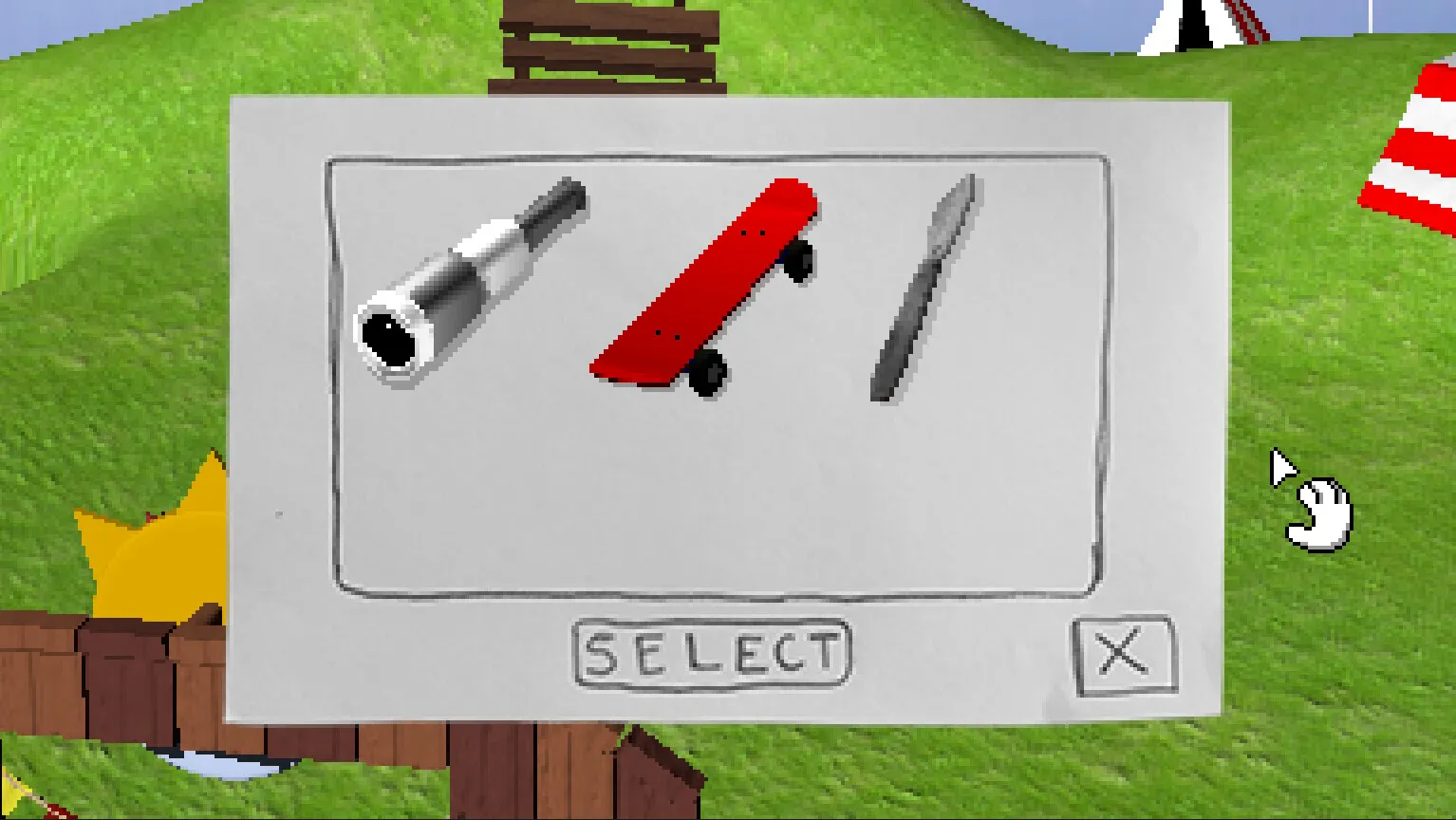
Mellow's pockets hold tools, toys, gadgets, and literal trash — and nearly everything has a use somewhere:
- Test items back where you found them — the environment often visually explains an item's purpose (a shape match in the room).
- Re-examine items after big events — item descriptions and states change as the world state changes.
- Talk to characters with an item selected — dialogue can react to what you're holding.
- Don't discard an item mentally just because the first obvious target rejects it. A "useless" item often pairs with a scene you haven't connected yet.
For the full catalog, see the items guide and puzzle solutions.
Save, Audio & Mini-Game Efficiency Tips
- Save often at wandering save points — the full game has one save file and wandering points that move/appear as you explore. Save before every boss (incl. optional ones) and before the Saw Box choice that splits endings. Full detail in the save file guide.
- Audio is a puzzle tool — the Office Morse-code puzzle (phone 277-5944 in the Jobs app) needs you to hear coded audio. Patch 1.07 added F9 to reset volume to 100% and Shift + +/− to fine-tune; system volume and in-game volume stack, so raise both if Morse is too quiet.
- Mini-games reward patience — optional mini-games (like the soccer challenge) often gate items or progress. Treat them as puzzles, not reflexes — they're more forgiving than they look.
Frequently Asked Questions
What are the best Endacopia tips?
Two that help most: right-click every object to cycle its actions (the #1 hidden mechanic), and manage stamina in combat by blocking then countering rather than mashing attack. Re-visit rooms after every change to catch progress.
How do I improve at Endacopia combat?
Watch the enemy's attack telegraph, block (right-click) at the right moment, then counter with 1–3 punches, then back off to let stamina recover. Never drain your stamina so you can't block.
How do I solve Endacopia puzzles faster?
Use the game's spoiler-controlled hint method: record the visible state, then work through blockers (unseen hotspot, repeated action, revisited dialogue, unexamined item, interface/lu state, unrecognized transition) in order. Only escalate to a full solution if those fail.
How do I avoid getting lost in Endacopia?
Do a "world-state loop" re-visiting known rooms after each change, screenshot before/after major actions, and explore the computer interface as a real location. Non-linear Chapter I rewards revisiting hubs.
What should a beginner do first in Endacopia?
Right-click everything in Mellow's starting room to learn the action-cycling system, examine every item closely, then explore the computer as a location. Test with the free demo if you're new, since demo progress doesn't carry over.
Related Guides
- Endacopia save file guide
- Mellow — the protagonist
- Endacopia system requirements
- Endacopia price & value
- Endacopia on Steam Deck
Last updated August 14, 2026.
More Endacopia Guides
Is Endacopia scary? Full trigger warnings, jumpscare timestamps, horror level ratings, and age suitability breakdown for the edutainment horror.
Every Endacopia item: Plunger, Cheese, Coins, Toy & Real Saw, Metal Detector, Telescope, Wrench, Core Key, Scalpel, Lockpick, Camera — locations and uses.
Who is Mellow in Endacopia? The red-capped protagonist: design, lost-senses backstory, guardian angel, the Roger spoiler, abilities and relationships.
Endacopia price: $16.50 on Steam, the 10% launch discount to $14.85, optional soundtrack DLC, and whether the 6-hour horror puzzle adventure is worth it.
Complete Endacopia puzzle solutions: fridge order, phone calls, Saw Box code 471, Wall Bank password Cheshire, jumpscare warnings, and secret ending steps.
Our Endacopia review: verdict on the $16.50 point-and-click horror — the edutainment art style, puzzles, jump scares, criticisms, and who should buy it.
Where is the Endacopia save file? Saved Games path, Steam userdata, Cloud sync (patch 1.04), plus backup, restore and the one-save-slot rule.
Does Endacopia run on Steam Deck? Compatibility shows Unknown, but the game runs via Proton — playable with controller remapping and the right settings.