
Doloc Town system requirements: official minimum specs (Windows 10, i3-6100, 8GB RAM, GTX 460), recommended estimates, Steam Deck, Linux and controller support.
Doloc Town System Requirements: Official Min Specs & Can I Run It
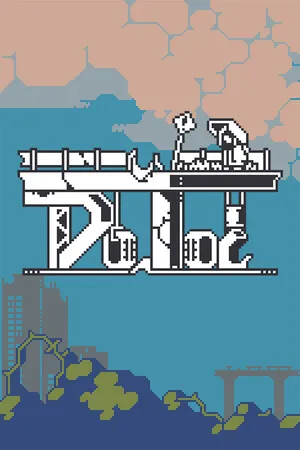
Doloc Town is a side-scrolling pixel-art farming sim, and it shows: the official minimum requirements are light enough that almost any Windows PC from the last decade clears them. The catch is that the developer only publishes a minimum spec — there is no official recommended configuration — so below I've given you the official numbers first, then an honest estimate of what actually runs it comfortably, plus what to expect on Steam Deck, Linux and controllers.
Here's what you'll learn:
- The official Doloc Town minimum requirements (from the Steam store page)
- A realistic recommended spec (official data doesn't exist — this is an estimate)
- Whether your laptop, iGPU or low-end PC can run it
- Steam Deck status and Proton/Linux reports
- Controller support and accessibility features
Official resources: Steam store page · Doloc Town on Wikipedia · IGN game page · 1.0 launch announcement (Gamespress)
Doloc Town Minimum Requirements (Official)
These are the exact numbers from the Steam store page's System Requirements section (verified via the Steam appdetails API, August 2026):
| Component | Minimum |
|---|---|
| OS | Windows 10 |
| Processor | Intel i3-6100 |
| Memory | 8 GB RAM |
| Graphics | NVIDIA GeForce GTX 460 (1 GB VRAM) |
| DirectX | Version 11 |
| Storage | 2 GB available space |
Notable absences: there's no official recommended spec, no mention of AMD CPUs/GPUs (any modern equivalent works), and the game is Windows-only per the store metadata — no native macOS or Linux builds. The install footprint is tiny (2 GB), and the game's pixel-art rendering means the GPU is rarely the bottleneck.
Doloc Town Recommended Requirements (Estimated)
Because RedSaw Games doesn't publish a recommended tier, the closest honest answer comes from what the game actually renders: 2D pixel sprites, side-scrolling, no volumetric effects. In practice:
The developer lists only minimums on the Steam store page. The estimate below is based on the game's rendering load and community reports, not official documentation.
- OS: Windows 10/11
- Processor: Any quad-core (Intel i5-2500K / AMD Ryzen 3 1200 or better)
- Memory: 8 GB (16 GB if you tab-out a lot)
- Graphics: Any DirectX 11 GPU with 2 GB VRAM — GTX 1050 Ti / RX 560 class is plenty
- Storage: 2 GB (SSD recommended but not required)
An integrated GPU (Intel Iris Xe, AMD Radeon 780M, even older UHD Graphics) can genuinely run this game at 1080p, because the heavy lifting is sprite work, not geometry. If your machine plays Stardew Valley or Terraria comfortably, it plays Doloc Town.
Can My PC Run Doloc Town?
Run through the checklist:
- CPU: The i3-6100 bar is a dual-core from 2015. Any laptop i3/i5 or Ryzen from the last decade passes.
- RAM: 8 GB is the real gate. 4 GB machines will chug on a busy farm with hundreds of basins and machines.
- GPU: GTX 460 (2010) is the stated floor; any DX11 GPU with 1 GB+ VRAM clears it. iGPUs vary — Iris Xe and 780M report playable, older UHD 620 runs it at reduced settings.
- Storage: 2 GB free — trivial.
- OS: Windows 10/11 only natively. See below for Linux/Steam Deck.
If you're borderline on RAM (8 GB with a heavy browser open), close the browser — Doloc Town's big memory moments are large farms with many machines and save/loads, not combat.
Doloc Town on Steam Deck, Linux and Proton
There's no Steam Deck Verified badge as of the 1.0 launch (the Steam API returns no Deck compatibility tier), but the picture is better than that sounds:
- Developer statement (Steam FAQ): "Platformer games typically run well on handheld devices... we've specifically optimized for Steam Deck users, though some elements — like fonts — still require additional fine-tuning... Currently, the game is labeled as 'Playable' on Steam Deck, and we aim to achieve 'Verified' status by full release."
- ProtonDB: community reports list it as working under Proton (one report ran smoothly on an Arch Linux system with an Intel i5 + Iris Xe), with a notable freeze-when-unfocused bug in some setups.
- Bottom line: expect "plays fine on Deck with tinkering," not "plug and play Verified." Font scaling and the unfocus freeze are the known rough edges.
Per the official developer FAQ on Steam, Doloc Town was labeled "Playable" on Steam Deck during Early Access with a goal of "Verified" at full release — as of 1.0, the badge is still not live.
Doloc Town Controller Support & Accessibility
Controller support is confirmed working: the developers state "Doloc Town fully supports controller input," and the Steam store lists Partial Controller Support with DualShock and DualSense controller support, plus a run of genuinely thoughtful accessibility tags: Camera Comfort, Color Alternatives, Custom Volume Controls, and Playable without Timed Input. That last one matters — fishing and combat use timing, and the game is designed so timed input isn't a wall. See our Doloc Town review for hands-on impressions of the controller experience, and the how long to beat page if you're budgeting playtime.
On a weak laptop, drop the windowed resolution to 1280x720 before touching graphics quality — pixel art scales cleanly and you'll gain far more frames than any settings toggle. The game also has custom volume controls, which matters because the lo-fi soundtrack is one of its best features.
Frequently Asked Questions
What are the system requirements for Doloc Town?
Official minimums: Windows 10, Intel i3-6100, 8 GB RAM, NVIDIA GTX 460, DirectX 11, 2 GB storage. No official recommended spec exists; any modern quad-core with a DX11 GPU and 8 GB RAM runs it comfortably.
Can my PC run Doloc Town?
Almost certainly yes if you have 8 GB RAM and a DX11-capable GPU (even integrated). The game is 2D pixel art with a 2010-era minimum GPU. The 8 GB RAM requirement is the only spec that matters for modern machines.
Does Doloc Town work on Steam Deck?
Not Verified, but labeled "Playable" by the developers with a goal of Verified. Community Proton reports show it running on Deck-class hardware; expect minor tinkering around fonts and a known unfocus-freeze bug.
Is Doloc Town on Mac or Linux?
No native builds — the store lists Windows only. Mac and Linux users must use Proton/Wine, where community reports are mostly positive.
Does Doloc Town support controllers?
Yes — full controller input is confirmed, with DualShock/DualSense support on Steam and accessibility features like Camera Comfort and Playable without Timed Input.
Related Guides
Last updated: August 14, 2026.
More Doloc Town Guides
Doloc Town best farm layout: the 6-wide starter plot, watering and weather protection, greenhouse and basement space, and the 1.0 automation drone coverage.
Doloc Town best fishing spots: Deer Statue Pond, the Dock, Mountain Pond and Wetlands — rare fish like Gold Fish, Glow Eel, Sturgeon and Tuna.
Doloc Town caves guide: where the caves are, Lichen Cave and its boss, mineral respawns, cave fishing pools, and the gear you need to survive.
Doloc Town combat drone guide: how to unlock the drone, auto-fire vs manual aim, weapons, frames and enhancement chips, and the best loadout for each region.
Doloc Town crop rotation explained: the 4-month calendar (Light Rain to Harsh Dry), what to plant each season, and the rotation rules that protect your income.
Doloc Town crop tier list: every crop ranked by profit per season (Dry, Rainy, Mistshade), the S-tier staples, and gene combos that push crops up a tier.
Doloc Town drone chips: every enhancement chip type, how they drop, and the best chip builds for exploration and boss fights.
Doloc Town fishing and ranching guide: rod tiers and fish species, animal husbandry, feed and special drops, and aquaculture tanks for steady income.