7 Days to Die crossplay guide: PC, PS5 and Xbox Series X|S play together since V1.2. Requirements, how to enable, limits, cross-save truth, troubleshooting.
Is 7 Days to Die Crossplay? PC, PS5 & Xbox Cross-Platform Guide (2026)
Yes — 7 Days to Die is crossplay, with conditions. Since the V1.2 "Crossplay Patch" (December 2024), PC, PlayStation 5 and Xbox Series X|S players can survive the same horde night together, and dedicated-server crossplay followed in V2.0 (June 2025). The catch: every platform must run the exact same version, Easy Anti-Cheat has to stay on, mods are off-limits, and the cap is 8 players on an 8K world. The legacy PS4/Xbox One editions and Nintendo Switch have no crossplay at all. This guide walks through every platform combination, how to switch it on, what breaks it, and the version history so you know exactly what you're getting into.
Official resources: Steam store page · Official 1.0 launch announcement · V1.2 Crossplay Patch announcement · Official wiki: Version history · Wikipedia
The Short Answer: Yes, With Conditions
If you only read one section: crossplay between PC (Steam), PS5 and Xbox Series X|S is live and officially supported, but it is not the free-for-all most people picture.
| Question | Answer |
|---|---|
| Is 7 Days to Die crossplay between PC and PS5? | Yes — same crossplay server or P2P session, same version |
| Is 7 Days to Die crossplay between PC and Xbox Series X|S? | Yes — same rules as PC↔PS5 |
| Is 7 Days to Die crossplay between PS5 and Xbox? | Yes — all three play together in one session |
| Is the Microsoft Store / PC Game Pass version crossplay? | Yes — PC clients share the same crossplay network; certification lagged behind Steam at launch but is long resolved |
| Is PS4 or Xbox One (legacy edition) crossplay? | No — the 2016 Telltale-era build is a separate, frozen product |
| Is there a Switch version? | No — no Switch release exists |
| Cross-save / cross-progression? | No — progress stays on the platform you played it on |
| Mods allowed on crossplay servers? | No — any mod disables console access |
| Player cap with consoles in the session? | 8 (world size must be 8192 or smaller) |
Crossplay means PC + PS5 + Xbox Series X|S on the same vanilla, EAC-on, max-8-player world. If anyone in the group is on a console, you are locked to vanilla. If everyone is on PC, you can play modded instead — but then consoles can't join. It's one or the other, and there is no bridge between the two.
The verdict has shifted twice in the game's lifetime, which is why older articles contradict each other. Before 1.0 the game had no crossplay at all. From V1.2 (December 2024) it gained peer-to-peer crossplay. From V2.0 (June 2025) dedicated servers joined in. Everything below is written against the current stable line (V3.1, released July 27, 2026, per the official version history).
Which Platforms Can Play Together
The platform map is smaller than the store listing suggests. The current-generation "7 Days to Die – Console Edition" launched July 25, 2024 on PS5 and Xbox Series X|S only — the old PS4/Xbox One builds were delisted and replaced, not upgraded. Here is the full matrix for 2026:
| Platform | Crossplay with PC (Steam) | Crossplay with each other | Notes |
|---|---|---|---|
| PC — Steam | — | — | The reference platform; also the only one with full mod support |
| PC — Microsoft Store / Game Pass | Yes | Yes | Same crossplay network as Steam (EOS-based); reached feature parity after V1.2 certification |
| PC — GOG | No version exists | — | 7 Days to Die is not sold on GOG |
| PlayStation 5 | Yes | Yes (PS5↔Xbox) | New Console Edition since July 25, 2024 |
| Xbox Series X | S | Yes | Yes (Xbox↔PS5) | New Console Edition since July 25, 2024 |
| PlayStation 4 (legacy) | No | No | Telltale-era build (2016), frozen on Alpha 15-era content, delisted |
| Xbox One (legacy) | No | No | Same legacy build as PS4; owners got a 25% discount on the new edition |
| Nintendo Switch | — | — | The game has never been released on Switch |
The PS4/Xbox One versions you could buy between 2016 and mid-2024 are a different product from the current game. They cannot connect to any current-gen or PC session. If a friend is on old hardware, crossplay is off the table no matter what you do — they'd need the new Console Edition (current-gen only) or a PC copy.
Why the old consoles are a dead end
The 2016 console port was published by Telltale Publishing and frozen at roughly the Alpha 15-era game. The Fun Pimps re-acquired the rights in 2019, but the old build was never brought forward — instead it was delisted when 1.0 launched, and the team built a fresh native port for PS5 and Xbox Series X|S. Legacy owners received a temporary 25% discount on the new edition (announced in the official 1.0 launch post), and their saves do not carry over. In practice, anyone still on the legacy edition is playing a 2017-era snapshot with no online community — treat it as a separate game when planning a co-op group.
How Crossplay Reached 7 Days to Die
The timeline matters because it explains the two different crossplay modes you'll run into in old guides and videos.
- July 25, 2024 — Version 1.0. The game leaves Early Access on Steam, PS5 and Xbox Series X|S simultaneously (previously the A22 update was renamed 1.0). Crossplay was announced as "coming" but not present at launch. The official launch FAQ stated crossplay connections already worked in testing but were waiting on Microsoft and Sony certification.
- October 1, 2024 — Version 1.1. Stealth refinements, console graphics modes groundwork; still no crossplay.
- December 10, 2024 — Version 1.2, the Crossplay Patch. The official announcement: "Today we are making our V1.2 Crossplay patch available to every platform. Players on Xbox, PlayStation, and PC can now enjoy cross-platform gameplay." This shipped peer-to-peer crossplay: a console player joins a PC-hosted world directly. The Xbox and Microsoft PC Store versions took a little longer through certification but followed. Requirements were set in stone here: 8 players max, world size 8192, EAC on.
- February 12, 2025 — Version 1.3. Crossplay still P2P-only; the official forum reminded players that dedicated servers were not yet supported.
- June 30, 2025 — Version 2.0 "Storm's Brewing". The big weather overhaul, and the update that added crossplay on dedicated servers — community servers on PC could now open their doors to PS5 and Xbox players, subject to the same vanilla/EAC/8-player conditions.
- V2.1 through V2.6 (July 2025 – April 2026). Stability line; V2.6 shipped April 1, 2026 with all three platforms releasing the same day — a deliberate fix for the old console-lag pattern.
- June 29, 2026 — Version 3.0 "Dead Hot Summer". Biome-based difficulty and content update, still same crossplay model.
- July 27, 2026 — Version 3.1 "Henpocalypse" (current). Released on PC, PlayStation and Xbox the same day, per the official announcement.
Per the official V1.2 Stable announcement: "Today we are making our V1.2 Crossplay patch available to every platform. Players on Xbox, PlayStation, and PC can now enjoy cross-platform gameplay."
One useful consequence of this history: any guide written before December 2024 will tell you there's no crossplay, and any guide written between December 2024 and June 2025 will say dedicated servers don't support it. Both were true at the time. The current answer is "yes" to both.
How Crossplay Works: EAC, Vanilla, 8 Players, 8K Worlds
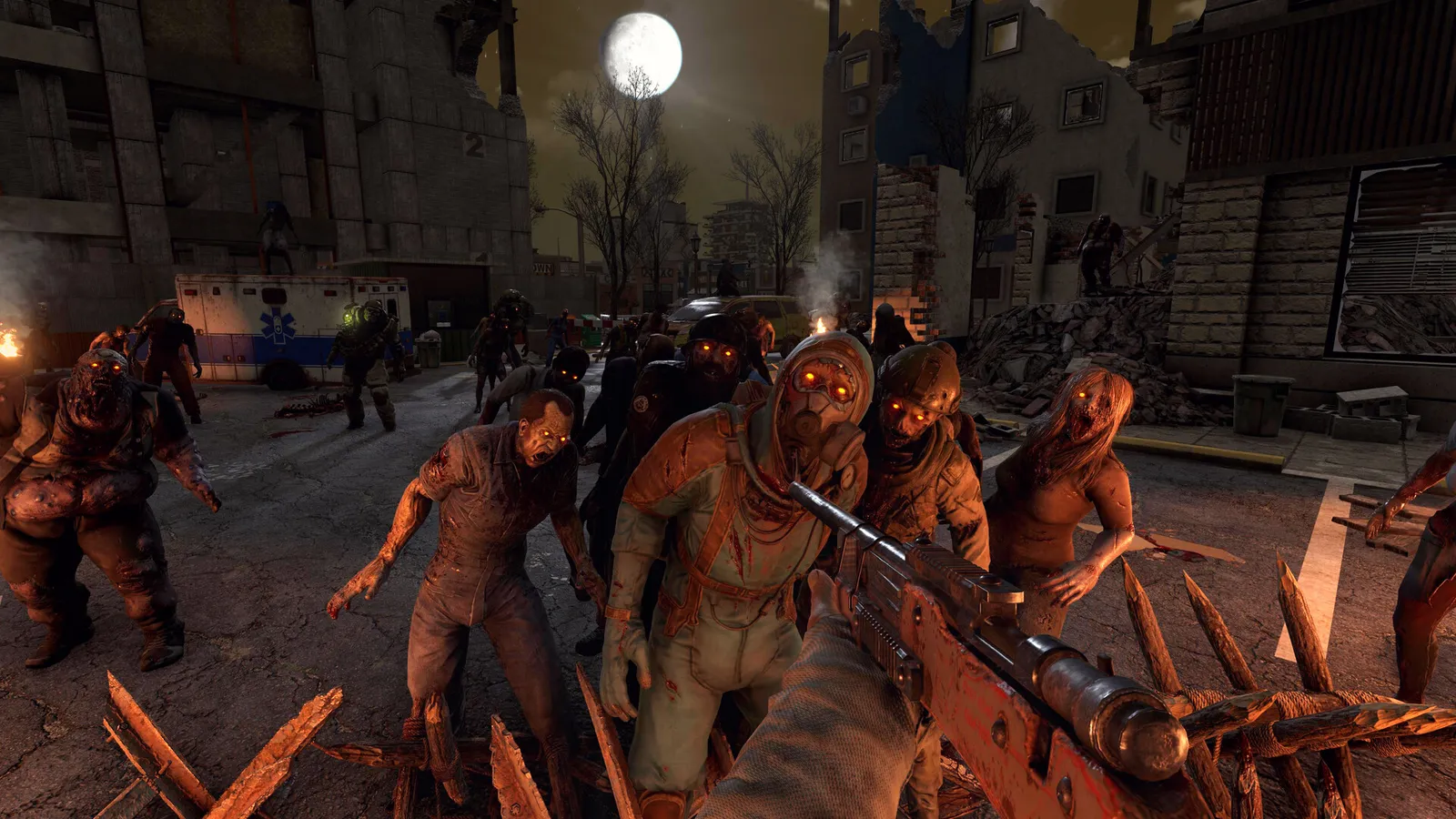
Crossplay in 7 Days to Die isn't a single toggle — it's a set of conditions that all have to be true at once. The game routes cross-platform sessions through Epic Online Services (EOS) as the identity/matchmaking layer, and through that layer runs Easy Anti-Cheat (EAC), which is the hard line between "crossplay" and "modded."
| Requirement | Value | Why it exists |
|---|---|---|
| Easy Anti-Cheat (EAC) | Must be ON (client and server) | Console platforms require kernel-level anti-cheat; EAC is the gate |
| Mods | None — vanilla only | Any mod in the Mods folder rejects console clients; EAC must be off to run mods, which kills crossplay |
| Player count | 8 maximum (with consoles in the session) | Platform requirement; going over 8 makes the session invisible to consoles |
| World size | 8192 or smaller | Larger random-gen sizes are flagged non-standard and break console joining |
| Game version | Identical on every platform | Crossplay is version-locked; a PC player on b27 can't sit next to an Xbox player on b29 |
| Network protocol | LiteNetLib (crossplay-enabled) | Dedicated servers must not be forced back to SteamNetworking |
| Server visibility (dedicated) | Public (2) | Console server browsers only list public servers |
Crossplay requires EAC on. Mods require EAC off. There is no compatibility layer, no workaround, no server-side hack that gets you both. If your group has even one console player, the decision is made: vanilla, EAC on, 8 players. Modded 7 Days to Die is a PC-only world — that's the trade the community has lived with since V1.2, and it's why the modpack guide on this site separates the two audiences so sharply.
Peer-to-peer vs dedicated servers
There are two ways to run a crossplay game, and they behave differently:
- Peer-to-peer (P2P) — since V1.2. A player hosts a world from their own machine (PC, PS5 or Xbox) and others join directly. The host must have the world already loaded and be standing in it before the session becomes visible. This is the simplest path for a small group and requires no server rental.
- Dedicated server — since V2.0. A rented or self-hosted community server opens to all three platforms. This is the only clean way to run a persistent world with strangers, admins, and scheduled restarts, and it's what hosting providers sell as "crossplay servers." Server-side, crossplay is configured in
serverconfig.xml(see below).
The practical advice: for 2–4 friends, host P2P. For a public or long-lived server, rent dedicated. Console players connect through the same server browser either way — they search by server name, not by IP.
How to Enable Crossplay
Hosting a P2P crossplay game (the 90% case)
- Update everyone — every player on every platform must be on the same game version (V3.1 as of this writing). Check the version number shown in the main menu corner.
- Check the world size — 8192 or lower. If you're starting fresh, the default "8K" preset is correct.
- From the main menu, open Options → General, and set Crossplay Enabled: On.
- PC hosts only: also confirm EAC Protected: On in the same menu. (Console builds have EAC baked in — no toggle.)
- Confirm your save is vanilla — empty the
Modsfolder. The game warns you in-world if mods are detected. - Start the world. In the world/game setup screen, set Server Enabled: Online (not LAN or offline). For a small group, "Friends Only" is fine; for randoms to find you, make it public.
- Wait for the world to finish loading. The host must be in-game with the world loaded before the session shows up in the browser.
- Joining players: Main menu → Join A Game → select the P2P tab → search the host's platform ID or server name → select the correct region → Connect.
Nine out of ten "can't find the session" reports are one of: wrong region filter, host's world not fully loaded, a mod installed on the host, world size over 8192, or a player count setting above 8. The YouTube-era advice "set max players to 16" is exactly backwards — a 16-player cap makes the session invisible to consoles.
Dedicated server (serverconfig.xml)
If you're renting or self-hosting, the four properties that matter (verified against current hosting-provider documentation):
<property name="ServerAllowCrossplay" value="true"/>
<property name="EACEnabled" value="true"/>
<property name="ServerMaxPlayerCount" value="8"/>
<property name="IgnoreEOSSanctions" value="false"/>
Plus: no files in the server's Mods folder, WorldGenSize at 8192 or below, server visibility set to Public, and the server running the current stable branch. Restart the server after editing — 7 Days to Die rewrites serverconfig.xml on a clean shutdown, so editing a live file gets your changes overwritten.
Cross-Save and Cross-Progression: None
The most common follow-up question has a short, disappointing answer: 7 Days to Die has no cross-save and no cross-progression. A character or world created on PS5 stays on PS5. If you switch platforms, you start over — there is no account-linked save cloud that follows you between PC and console (platform-native cloud saves, like Xbox cloud saves, only carry your progress between that platform's own devices).
What crossplay gives you is a shared live world, not shared progress. If you host on PC and a friend joins from PS5, they keep their own character and inventory; their stats, skill books and build progression are saved on their side, and they lose nothing by joining you — but their progress lives on the server world's save, and it does not sync to their console's local saves. In practice, groups just agree on one primary server and treat that world as the "real" save.
Crossplay Limits and Gotchas
Beyond the big three (EAC, vanilla-only, 8 players), these are the traps that catch people:
- Version parity is strict. Console patches historically lagged PC by days or weeks because of store certification. When PC is on a newer build than the consoles, crossplay silently stops working — both sides must be on the same version, and the laggard platform has to catch up. The V2.6 and V3.1 releases deliberately shipped simultaneously on all platforms to shrink this window.
- Console players need paid online. PlayStation Plus (Essential or higher) and Xbox Game Pass Core/Ultimate subscriptions are required for online multiplayer on their respective platforms. PC players don't need any subscription.
- No mods, period. Modded servers are PC-only. If you see a "modded crossplay" claim anywhere, it's wrong or it's a bait-and-switch (console players will be rejected at join).
- Game Pass nuance. The Microsoft Store/PC Game Pass version is crossplay-eligible and shares the same EOS network as Steam. The console edition is also cloud-playable with an active Game Pass subscription. So "PC Game Pass player on a Steam-hosted server" works — a scenario that still trips people up.
- Legacy consoles and Switch are not coming. The Fun Pimps have repeatedly said the legacy builds are unsupported, and no Switch version has ever been announced.
- The studio changed hands. On March 24, 2026, The Fun Pimps joined Behaviour Interactive (the Dead by Daylight studio). The team stays in charge of development, and the acquisition explicitly cited faster updates as a goal — so the crossplay status quo isn't expected to change, but roadmap pacing might.
Troubleshooting Crossplay
| Symptom | Likely cause | Fix |
|---|---|---|
| "Version mismatch" / console shows a different build than PC | Console patch lag | Wait for the console update to certify; both sides must be identical |
| Console players can't find the server | Mod installed, world > 8192, player cap > 8, or non-public visibility | Remove mods, re-check world size and ServerMaxPlayerCount, set visibility to Public |
| PC players can join but console players can't | EAC off on the server or host | Re-enable EAC (EACEnabled true / EAC Protected On) |
| Session vanishes after restart | serverconfig.xml edited while server was running |
Stop server, edit, start — the game overwrites the file on clean shutdown |
| Lobby shows in one region but not another | Region filter | Both sides must pick the same region in Join A Game |
| Console player's ground despawns under their base (PS5 / Series X) | Client-side chunk bug acknowledged by the team | Relog; a console hotfix was in testing as of V2.6 |
"I can't join from my PC because the host is on Xbox Series S and the game says the session is full at 2 players" is a known console-hosting quirk, not a crossplay failure — some console P2P hosts report lower effective caps than the 8-player crossplay limit. If you hit it, have the host on a PC or Series X, or move to a dedicated server.
FAQ
Is 7 Days to Die crossplay between PC and PS5?
Yes. Since V1.2 (December 2024), PC (Steam or Microsoft Store) and PS5 play together on the same P2P session or dedicated server, provided all clients run the same version, EAC stays on, and the world is vanilla with no mods.
Is 7 Days to Die crossplay between PC and Xbox?
Yes. Xbox Series X|S joins PC and PS5 in the same crossplay pool. The legacy Xbox One (2016 Telltale edition) cannot — it's a separate, delisted product with no crossplay. The Xbox/PC Game Pass versions joined the crossplay network after their certification passed (slightly later than Steam at the V1.2 launch).
Is 7 Days to Die crossplay on PS4 or Xbox One?
No. The PS4 and Xbox One versions are the legacy 2016 build (frozen on Alpha 15-era content, delisted at the 1.0 launch in July 2024). The new Console Edition is PS5/Xbox Series X|S only. There is no Switch version at all.
Does 7 Days to Die have cross-save or cross-progression?
No. Saves are platform-locked; a character or world on PS5 doesn't follow you to PC. Crossplay shares a live world (everyone plays the same server) but not account progress.
Why can't console players join my modded 7 Days to Die server?
Because mods require Easy Anti-Cheat to be off, and crossplay requires it to be on. It's a hard either/or: any mod in the Mods folder makes console clients unable to connect. To include console players, run a vanilla EAC-on server; to run mods, accept that the server is PC-only.
Related guides: 7 Days to Die Modpacks — best overhauls and install guide · Valheim crossplay guide · Rust crossplay guide · ARK: Survival Ascended multiplayer guide · Terraria platforms & crossplay guide
Last updated: August 13, 2026.
Related Guides
More 7 Days to Die Guides
7 Days to Die console commands on PC: open the F1 console, admin and cheat commands (dm, cm, god, giveself, teleport), and why PS4/PS5/Xbox have no console.
7 Days to Die cooking pot locations: loot kitchen cabinets, ovens and campsites, buy from traders, or craft one at a Forge (25 forged iron + 5 clay).
7 Days to Die creative mode: how to enable it, cm/dm/god/fly commands, the U item menu, giveself spawn commands, and server setup (BuildCreate).
7 Days to Die Darkness Falls guide: KhaineGB's V6 overhaul, the 8 classes, 96-slot backpack, titanium and laser tech, and how to install it.
7 Days to Die maps explained: Navezgane cities and POIs, random-gen world sizes (4K-10K), Pregen maps, teleport commands and console map differences.
7 Days to Die maps guide: Navezgane and its biomes, random gen, pregen sizes 4K-16K (including the A20 10k map), Bob's Boars location, and PS4 legacy maps.
How to get mechanical parts in 7 Days to Die: salvage list (wrench/ratchet), cars and engines, scavenge spots, perks, trader buying, and every crafting use.
Best 7 Days to Die mods 2026: QoL picks (Bigger Backpack, HUD Plus, SMX), EAC-friendly server-side mods, Rebirth, in-game flashlight mods and how to install.