Scrap Mechanic Guide — Everything You Need to Know (1.0)
The complete Scrap Mechanic guide: survival basics, vehicle building, suspension, logic gates, auto farms, raids and the 1.0 Drilling Thunder chapter — with prices, specs and the 34 achievements.
Scrap Mechanic Guide — Everything You Need to Know (1.0)
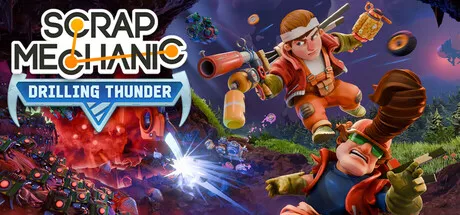
Scrap Mechanic is the physics-based sandbox survival game from Swedish studio Axolot Games, where you crash-land on an agricultural planet whose farming robots have gone haywire — and you have to build your way out. After ten years in Early Access, the game hit 1.0 on July 24, 2026 together with the Drilling Thunder chapter, adding a full story campaign, underground mines and a route to the planet's core. This guide collects everything a new (or returning) player needs: how to survive your first days, build working vehicles, wire logic gates, defend raids, and what actually changed in 1.0.
What Is Scrap Mechanic?
Scrap Mechanic is a multiplayer survival sandbox built around physics-based construction. The premise: you're a robot maintenance mechanic assigned to a planet that grows food for metropolitan worlds. Your spacecraft crashes, and the Farmbots working the fields turn hostile. From the wreckage you scavenge parts, build vehicles and bases, farm crops for food and ammunition, and push toward the planet's core to uncover what happened.
The game's identity sits between a pure creative sandbox and a survival game:
- Building is the core loop — over 400 building parts snap together (blocks, bearings, pistons, suspension, engines, thrusters, sensors and logic gates) into vehicles, machines and fortresses
- Survival gives it stakes — hunger, hostile robots, and raids that escalate as your farm grows
- Multiplayer makes it better — co-op for up to 4 players, host-based (no official dedicated servers)
Released into Early Access on January 20, 2016, it was the top-selling game on Steam on day one and is estimated to have sold 2–3 million copies during EA. The full release on July 24, 2026 is a free upgrade for existing owners.
Scrap Mechanic 1.0 & Drilling Thunder — What Changed
The 1.0 update (officially "Scrap Mechanic 1.0 and Drilling Thunder") is the single biggest content drop in the game's history. It arrived free for all EA owners on July 24, 2026:
- Full story campaign — survival mode now has a complete storyline with quests, NPCs and an ending
- Drilling Thunder (Chapter 2) — a new underground chapter: abandoned mines, underground caves, drill attachments for vehicles, and a route down to the planet's core with treasure and story secrets
- New biomes, enemies and a boss fight — plus new building parts and cosmetics
- Graphics upgrade — improved lighting, better optimization and new fire physics
- Reworked surface world — the surface map was changed, which is why old survival saves don't carry over
Creative worlds survive the transition, but survival saves only work after rolling back to the previous version via Steam's beta branch. Axolot recommends starting over — most returning players do. Back up your .db save files and Blueprints folder before updating. See our save file guide.
Mods are in a similar spot: some still work, but mods that add parts or custom game modes will break until their creators update them (see Mods & Workshop).
Survival Basics — Your First Hours
Your first session follows a clear path. Here's what matters, in order:
- Rescue the Master Battery — inside the crashed ship you need a Master Battery (located in a ruin nearby). Place it in the ship's socket to activate the Mini Craftbot and Ship Terminal.
- Build your first car — pick up the Builder Guide near the Crashed Maintenance Ship to start the "Your First Car" quest, which walks you through building a basic vehicle. Don't skip it — the quest credits toward an achievement.
- Set up a base — the Mechanic Station is your crafting hub: Craftbot (parts and blocks), Dressbot (clothes), Refinebot (refined materials) and Cookbot (recipes). Craft a Resource Collector to gather and store resources.
- Find food and water — scavenge food early; start a small farm once you have seeds. Crops are the foundation of your economy and ammo.
- Repair the farm — the Farmers Hideout trades for recipes (pistons, logic gates, spud guns and more) in exchange for rescued farmers and crates of food.
A bed sets your respawn point. Put one on your vehicle so you respawn where you left off instead of walking back across the map — the single most useful early trick in the game.
The full day-by-day breakdown lives in our Survival Beginner's Guide.
Building Your First Base
Your base is your save file made physical — lose it and the raid that took it hurts more than any death. Practical rules for a first base:
- Location beats construction — build near a water source, close to a road or flat ground, and within walking distance of the Mechanic Station. A perfect fortress on a bad spot is worse than a simple shack in the right one
- Start small, wall later — the first hours don't need walls. A Craftbot, a bed, a chest and a Refinebot under a roof beats a half-finished wall with no crafting bench
- Separate farms from the base — when raids scale with crop count, an on-site farm drags every raid to your door. Build a dedicated farm chunk away from your living base and defend that instead
- Vault your valuables — the Vault stores items even when your base is destroyed, and reaching a high vault value is tied to an achievement (2,000,000 for the 100% route)
- Stairs beat ladders — bots path up ladders; a two-block wall with a stair gap you control funnels raids where you want them
Weapons & Combat — Ammo From the Garden
Scrap Mechanic's combat is deliberately low-tech, and almost all of it grows in your farm:
- Spud Gun — the classic potato gun, the bread-and-butter ranged weapon; ammo comes from potatoes, so farming directly feeds combat
- Cornade — a corn-based explosive that doubles as a boss-killer (one achievement asks you to kill a blue Tapebot with it)
- Water Cannon — knocks bots around without killing them, great for crowd control and for the "Wet circuits" achievement
- Explosive Canisters — scavenged area damage, also achievement-relevant
On the melee side, a well-built vehicle is the best weapon in the game — ramming, crushing and turret-mounted spud guns outperform anything handheld once your farm supports the ammo economy. See Bots & Enemies for what you're actually fighting.
Creative Mode & The Workshop
If survival's raids aren't your thing, Creative Mode strips the pressure entirely: unlimited parts, no fuel or energy, no enemies. Skills transfer directly to survival because the building toolset is identical — most players prototype their survival vehicles in creative first.
The Steam Workshop is where the game's longevity lives: over 1,000 player-made parts and countless blueprints, from working calculators built out of logic gates to walking robots and fully automated factories. Publishing your own creations is a two-click affair and carries an achievement. Watch the mod compatibility situation after 1.0 — parts mods need updates from their creators (see Mods & Workshop).
Common Beginner Mistakes (And How to Avoid Them)
- Skipping suspension — wheels bolted directly to blocks make every bump a crash. Always mount wheels through a suspension part
- Ignoring the quests — the Builder Guide quests hand you recipes and achievements; the "Your First Car" quest is essentially free progression
- Farming at the base — 8+ tier-1 crops per chunk invites raids. Keep farming off-site until you have defenses
- Not backing up saves — major updates (like 1.0) can invalidate survival saves. Copy your Save folder and Blueprints before big patches
- Forgetting the bed — no bed on your vehicle means respawning at the ship and walking across the map every death
- Overbuilding too early — a 20-wheel mega-truck is fun and a performance problem on mid-range PCs; the game is CPU-heavy with physics, so start lean
Performance & Troubleshooting
Scrap Mechanic is notoriously physics-CPU-bound. If your framerate collapses:
- Suspension is the usual culprit — many suspension parts cause known slowdown; reduce suspension counts on large builds
- Bearings and pistons multiply physics cost — automated factories with dozens of moving parts need good multi-core CPUs
- The 1.0 recommended spec is a real recommendation — RTX 3060-class GPU and a modern CPU for large builds (full specs in system requirements)
- Windows 10 works, Windows 11 recommended — the minimum OS is Windows 10 64-bit after 1.0
If the game won't start, delete settings.json in the User folder — it resets your video settings and fixes most black-screen or resolution bugs.
Building Vehicles That Actually Work
Vehicle building is where Scrap Mechanic earns its reputation. Every creation is a physics simulation, so the rules matter:
- Chassis first — a solid block frame; light vehicles want light blocks, heavy haulers want metal
- Wheels need suspension — never bolt wheels straight to blocks. Suspension absorbs terrain and keeps control
- Engine + fuel — petrol engines are the standard; electric engines are a 1.0 addition for quieter builds
- Bearings for steering — a seat + bearings + wheels lets you steer; or use tank steering with two independent sides
- Test in the Garage — the Garage lets you build and test without survival pressure (and unlocks an achievement)
The most common beginner mistake is skipping suspension: a car without it shakes apart on the first bump. We have a dedicated suspension guide covering Sport, Off-Road, Wishbone and Double Wishbone setups, plus the classic "car spinning in circles" fix (your bearing rotation directions are wrong — flip one side with the connector tool).
For full builds — cars, small tanks, trucks, boats and trailers — see Vehicle Building.
Suspension, Steering & The Physics That Trip Everyone Up
Scrap Mechanic's suspension system is deeper than most sandbox games. The main part types:
- Sport Suspension — stiff, road-friendly, the beginner default
- Off-Road Suspension — longer travel, better on rough terrain, softer
- Wishbone Suspension — a pivot-based design that keeps wheels vertical; the community favorite for stable cars
- Double Wishbone — two wishbones per wheel; maximum stability for heavy or fast vehicles
Suspension parameters (stiffness, damping) are adjustable, and the famous suspension glitch — a physics jitter that makes vehicles shake or sink — is usually caused by too many suspension parts, conflicting stiffness values, or parts clipping into each other. Reduce the suspension count, tighten values, and never mount suspension on suspension.
Steering options: front-axle steering (bearings), tank steering (two independent driven sides, great for tracked vehicles), and thrusters for flying or hover builds. Details in our suspension guide.
Logic Gates & Automation
Logic gates turn static bases into machines. The game ships with the standard set — AND, OR, NOT, XOR — plus timers, repeaters, sensors and switches. With them you can build:
- Automatic doors — sensor + piston
- Auto farms — sensor detects crops, logic triggers water or harvest
- Trap defenses — trip sensors wired to spud guns or water cannons
- Factory logic — timer loops and repeaters for production lines
The Logic Gates guide walks through each gate, wiring basics and the timer/repeater loops that most automation relies on.
Farming, Auto Farms & The Raid Economy
Farming is not optional — crops produce food, ammo materials and the cash economy. But farming attracts attention:
- Raids scale with your farm — plant 8 or fewer tier-1 crops per chunk and you won't trigger raids; every chunk of farmland above that raises raid level
- Defense matters — walls, turrets, water cannons and automated defenses (see Raid Defense)
- Automation pays off — a fully automatic farm (planting, watering, harvest via sensors + logic) lets you scale up without spending your whole day
The "don't farm in your base" trick: use bait plants and an open wall so bots funnel through one gap where your turrets wait.
The 1.0 Endgame: Mining & The Planet's Core
Drilling Thunder turns survival into a mining expedition. New content includes:
- Drill attachments for vehicles (including the high-tier Plasma Drill)
- Cable Rolls to power distant machines
- Underground caves and an abandoned mine with treasure
- A route to the planet's core where the story's secrets live
- New enemies including the Seekerbot
Mining vehicles are worth building properly — a dedicated mining rig with drills and storage transforms mid-game resource gathering. Oil ponds and vacuum pumps feed the fuel economy.
Achievements, Commands, Saves & Multiplayer
- 34 Steam achievements, from "My first car" to "Spectacular Mechanic" (100%). Full route in our achievements guide
- Console commands (dev mode) for spawning parts, teleporting and more — commands & cheats
- Saves live in
%LocalAppData%\Axolot Games\Scrap Mechanic\User\User_*\Save— back them up before updates (save file guide) - Multiplayer is host-based co-op for up to 4 players over Steam friends — no official dedicated servers
Price, Specs & Verdict
- Price: $28.99 on Steam (raised from $19.99 at 1.0). The Drilling Thunder Bundle (game + Fan Pack + Soundtrack) is $48.57 at -10%
- Platforms: Windows only officially (Mac/Linux via Proton — not officially supported)
- System requirements (1.0): minimum Windows 10 64-bit, i5-1235U-class CPU, 8 GB RAM, Intel Iris Xe / 2 GB VRAM GPU, 30 GB storage; recommended Windows 11, i5-12500, 16 GB RAM, RTX 3060 12 GB — see system requirements
Community reception is very positive (90% of ~47,000 reviews) — a decade of sandbox trust plus a genuinely meaty 1.0.
FAQ
Is Scrap Mechanic free now that it's 1.0? No — the 1.0 update is free for existing owners, but new buyers pay $28.99 (up from $19.99 during Early Access).
Can you play Scrap Mechanic with friends? Yes — co-op for up to 4 players, host-based through the Steam friends list. There are no official dedicated servers.
Is Scrap Mechanic on console? No — the game is Windows-only on Steam. Mac and Linux are not officially supported (Proton can work but is community-supported).
How long is Scrap Mechanic? Survival's story campaign is roughly 15–25 hours depending on how much you build; creative mode is endless. (Community estimate — no official figure.)
Does Scrap Mechanic have mods? Yes — over 1,000 player-made parts via the Steam Workshop, plus full mod support. See Mods & Workshop.
Can you play Scrap Mechanic with a controller? There's no native gamepad profile — players use Steam Input mapping or community controller configs. See our controller notes.
Does Scrap Mechanic have a story? Yes — the 1.0 release added a full story campaign with quests and an ending, and Drilling Thunder (Chapter 2) takes it underground to the planet's core.
What are the system requirements after 1.0? Minimum is Windows 10 64-bit, a 2.6 GHz dual-core (i5-1235U-class), 8 GB RAM and Intel Iris Xe / 2 GB VRAM graphics; recommended is Windows 11, i5-12500, 16 GB RAM and an RTX 3060. Storage is 30 GB.
Is Scrap Mechanic still in Early Access? No — it left Early Access on July 24, 2026 after ten years. The 1.0 and Drilling Thunder updates shipped together as a free update for owners.
Related Guides
- Survival Beginner's Guide — First Hours
- Vehicle Building — Cars, Tanks, Trucks & More
- Suspension Guide — Wishbone, Tank Steering & Common Fixes
- Logic Gates & Automation
- 1.0 & Drilling Thunder — What's New
- All Bots & Enemies Guide
Official resources: Steam store page · Wikipedia · Official Scrap Mechanic Wiki · Steam News (patch notes) · IGN game page
Last Updated: August 12, 2026