
Hell Let Loose Vietnam best settings: graphics presets, DLSS/TSR vs FXAA, spotting visibility settings, mouse sensitivity and FPS fixes for launch.
Hell Let Loose Vietnam Best Settings — Graphics, FPS & Visibility
Hell Let Loose: Vietnam is a heavy game — dense jungle foliage, 100-player battles and Unreal Engine 5 lighting will tax any GPU — but the right settings get you a stable 60+ FPS with good visibility for spotting enemies in the bush. This guide covers the best video settings from benchmarked data, how DLSS/TSR/FXAA compare, the visibility settings that matter for actually seeing people, and the launch-window fixes for stutters and AMD crashes.
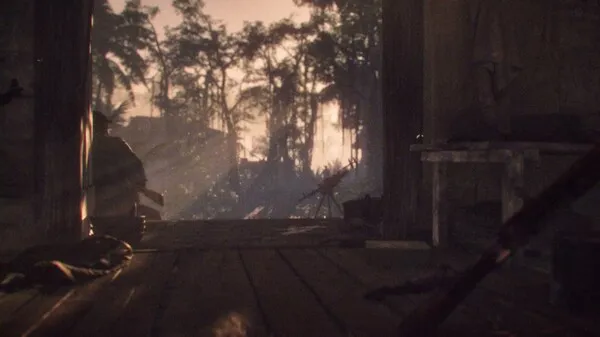
Here's what you'll learn:
- The quick settings table for 60+ FPS
- Master Quality vs individual settings: where the FPS actually goes
- DLSS vs TSR vs FXAA — and why FSR isn't there yet
- The visibility settings that reveal enemies in the jungle
- Sensitivity, launch options and AMD crash workarounds
Official resources: Steam store page · Official launch info blog · Official developer Q&A · Official site
The Quick Settings Table
These are the settings that give the best balance of FPS, visuals and spotting ability on mid-range hardware (RTX 3060-class, 1440p). If you only take one section from this guide, take this:
| Setting | Recommendation | Why |
|---|---|---|
| Master Quality | High (not Epic) | Epic→High is the single biggest free FPS win; visually near-identical |
| Image Reconstruction | DLSS Quality (Nvidia) / TSR 100% (others) | Biggest FPS lever; never below Quality on 1080p |
| View Distance | High/Epic | Minimal FPS cost, important for spotting |
| Foliage Quality | Medium | Cuts visual clutter so you can see enemies in the bush |
| Shadow Quality | High | Epic→High saves real FPS for tiny visual change |
| Texture Quality | High/Epic | Free FPS-wise (VRAM permitting) — crank it |
| Global Illumination | Medium | 18-20% FPS swing; Medium looks near-Epic |
| Reflections | Medium | Epic costs FPS for no visible difference |
| SSAO | High or Off | No middle ground; small cost at High |
| Motion Blur | Off | Free FPS + clearer targets |
| Post-Processing | Medium/High | Small gains stepping down |
| Low Latency (Nvidia Reflex) | On (or On+Boost if CPU-bound) | Input latency, near-free |
Master Quality: The Single Biggest Lever
The Master Quality preset is a master switch that drives most other settings. Independent benchmarking of the launch build found a massive FPS difference between presets — roughly 90 FPS at Epic up to ~130 FPS at Low on a high-end card with no upscaling. The sweet spot is High: dropping from Epic to High gained ~10-15 FPS with almost no visible difference (just slightly softer tree shadows). Below High, quality drops sharply for much smaller gains.
Set Master Quality to High, then adjust Global Illumination to Medium and Shadows to High. That combination captures most of the Epic→High win plus the GI bonus, and it's where the game still looks right. Going further is for when the FPS still hurts.
Upscaling: DLSS vs TSR vs FXAA (and FSR's absence)
Image Reconstruction is the game's biggest FPS lever, and it's worth understanding the three options at launch:
- DLSS (Nvidia) — the best upscaler in the game. DLAA mode gives the highest native-quality image for a small FPS cost; Quality gives a big FPS boost with minimal artifacts. Don't go below Quality on a 1080p display — tree and foliage shimmer gets ugly fast at Balanced/Performance on 1080p.
- TSR (Unreal Engine's upscaler, works on any GPU) — the AMD/non-Nvidia option. The quality knob here is the resolution scale slider, not the anti-aliasing quality. Keep the scale at 100% for image quality; drop it (90/75/66) for FPS. Below ~66 you start seeing artifacts.
- FXAA — the no-upscaling fallback. Blurry but functional; fine if you want native resolution with a cheap card.
- FSR is NOT in the launch build. The developers confirmed FSR 4.1 is implemented in-game but was still being validated and is coming in a post-launch update — per the official launch info blog. AMD users should run TSR for now.
Per the official launch info blog: "FSR 4.1 has already been implemented in-game, and the team is currently carrying out further testing and validation to ensure it's ready for release" — AMD users get TSR in the meantime.
Visibility Settings: Actually Seeing Enemies
Jungle maps are won by whoever sees who first, so visibility settings matter as much as FPS:
- View Distance — set High or Epic. Minimal FPS cost, and it decides whether distant movement renders at all. This is the classic Hell Let Loose spotting setting.
- Foliage Quality — Medium is the community consensus. Lower foliage density reduces visual clutter in the bush, making enemies easier to spot, at basically no FPS cost. The trade-off is slightly less pretty jungle.
- SSAO — High or Off, no in-between. On High it adds contact shadows that help read terrain; Off is a small FPS bump.
- Motion Blur — Off. It also stops blurring targets while you're tracking them — a direct spotting buff.
- Global Illumination at Medium — keeps jungle shading readable while returning up to ~18-20% FPS over Epic.
Mouse & Sensitivity Basics
Sensitivity is personal, but the game's pace sets the range: Hell Let Loose: Vietnam rewards slower, more deliberate aim over twitch flicks. Community convention from the original game carries over — start around 400-800 DPI with an in-game sens that gives you roughly a 30-40 cm 360° turn, then tune up if you're overcorrecting on crosshair placement, down if you're over-rotating on contacts. The tactical map and slower movement punish high sens more than most shooters.
Performance Fixes & Known Launch Issues
- AMD GPU crashes — a known launch-window issue. Official temporary workarounds: add
-dx12 -USEALLAVAILABLECORES -malloc=systemto the Steam launch options (or the-dx11variant), and/or disable the in-game overlay in AMD Software: Adrenalin Edition. A hotfix incorporating these fixes shipped within days. - Settings not saving — a reported issue being investigated; if settings reset between sessions, reapply and make sure you save via the in-game save prompt (F key in the settings menu).
- Playtest veterans — if you played the crossplay playtest, reset your video settings to default once so the launch build recalibrates them.
- Nvidia Reflex — set Low Latency to On, or On+Boost if you're CPU-bound (common in 100-player matches).
- Texture pop-in — check Texture Quality vs your VRAM. On cards with 8 GB or less, High is safer than Epic; exceeding VRAM causes stutter as textures swap.
Check your hardware against the official spec first — the system requirements guide has the full min/rec tables and what they mean for real performance.
Drop Global Illumination to Low and Shadows to Medium next — those two are the largest remaining levers after Master Quality and upscaling. If it's still stuttery, the bottleneck is likely CPU-side in 100-player battles (look at Reflex On+Boost and background apps) rather than GPU-side.
Frequently Asked Questions
What are the best graphics settings for Hell Let Loose: Vietnam?
Master Quality High, DLSS Quality (or TSR at 100%), View Distance High, Foliage Medium, Shadows High, Textures High, Global Illumination Medium, Motion Blur Off, Nvidia Reflex On.
Does Hell Let Loose: Vietnam support DLSS and FSR?
DLSS and TSR are in at launch. FSR 4.1 is implemented in-game but was not in the launch build — the developers confirmed it's coming in a post-launch update; AMD users should run TSR meanwhile.
How do I get more FPS in Hell Let Loose: Vietnam?
Start with Master Quality at High (the biggest single win), enable DLSS/TSR, set Global Illumination to Medium, Shadows to High, Motion Blur off, and enable Nvidia Reflex.
What settings help me see enemies in the jungle?
View Distance High/Epic, Foliage Quality Medium (less clutter), SSAO High, Motion Blur off.
Why is my Hell Let Loose: Vietnam crashing on AMD?
A known launch issue with AMD GPUs. Try -dx12 -USEALLAVAILABLECORES -malloc=system in Steam launch options, disable the AMD in-game overlay, and update to the latest driver; the official hotfix landed within days of launch.
Related Guides
- Hell Let Loose: Vietnam System Requirements — PC Specs
- Hell Let Loose Vietnam Beginners Guide: First Match, Roles & Survival
- Hell Let Loose: Vietnam Wiki — Overview, Modes & Maps
- Hell Let Loose Vietnam Maps: All 6 Battlefields Explained
- Hell Let Loose: Vietnam Weapons — Full Arsenal Guide
Last updated: August 15, 2026.
More Hell Let Loose: Vietnam Guides
Hell Let Loose: Vietnam how to play: win conditions, capture mechanics (soft cap vs hard cap), all four modes, spawn types and movement basics.
Complete Hell Let Loose: Vietnam keybindings: default keys for infantry, vehicles, pilot and voice chat, plus recommended rebinds.
Hell Let Loose: Vietnam medic guide: revive and bandage mechanics, loadouts, safe revive sequence, manpower value and XP from healing.
Hell Let Loose Vietnam mortar guide: Mortar Gunner, Observer and Support roles, how to build and aim tubes, observer call-ins and the best mortar targets.
Hell Let Loose Vietnam push to talk guide: proximity, unit and leadership channels, default keys on PC and console, toggle vs hold, and mic fixes.
Hell Let Loose Vietnam sniper guide: the Sniper and Spotter recon duo, M40 vs Type 53 PU rifles, overwatch positions and hunting spawn structures.
Hell Let Loose: Vietnam squad leader guide: outposts and garrisons, markers, command chat, US helicopter field pads and NVA tunnel tactics.
Hell Let Loose Vietnam system requirements: official minimum and recommended PC specs, storage size, DirectX 12, Steam Deck support and console performance.