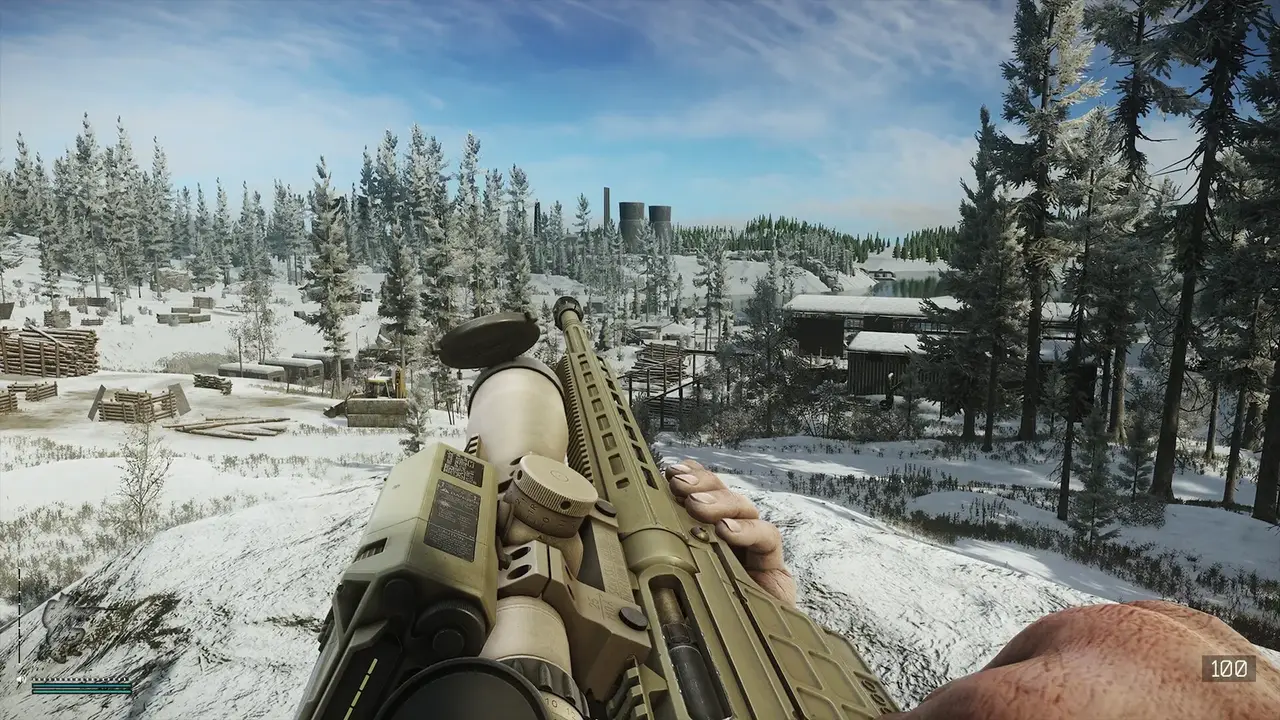
Best Escape from Tarkov settings for 2026: the FPS-optimized graphics config, DLSS/FSR, PostFX that looks great, sound settings and Windows tweaks.
Best Escape From Tarkov Settings: FPS, Graphics, PostFX and Visibility
Short answer up front: the fastest winning settings for Escape from Tarkov are textures on High, shadows on Low, Object LOD at 2, visibility at 1500–2500, HBAO and SSR off, DLSS Balanced (1440p) / Quality (1080p) with Preset K, NVIDIA Reflex on, and VSync off — this is the configuration consensus across the major 2026 guides (GGRecon, Blast, GearUpBooster), and it gets an RTX 3080-class system to 130–144 FPS on Customs at 1440p. The game is CPU-bound, so the system-side tweaks (RAM speed, SSD, power plan, virtual memory) matter as much as the in-game sliders. This guide covers the full configuration: game settings, graphics, PostFX, sound, Windows/launcher tweaks, and how to make the game look genuinely beautiful for screenshots without tanking your frames.
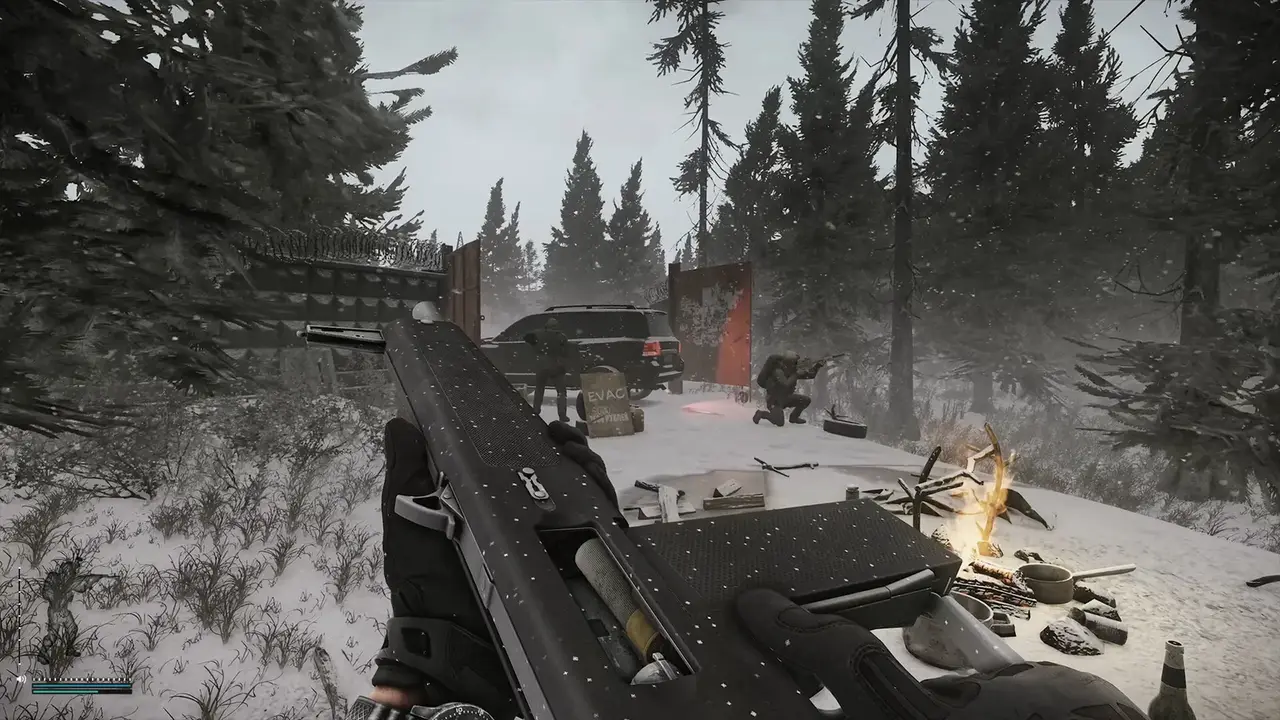
Official resources: Steam store page · Battlestate Games official site · GGRecon — best settings guide · Blast — best settings for 1.0 · GearUpBooster — PC settings guide
Game Settings: The Visibility Stack
The "game" tab is where competitive players win fights before the shooting starts. The 2026 consensus (GGRecon, Blast):
| Setting | Value | Why |
|---|---|---|
| Quick slots | Autohide | Minimal HUD = more visible screen |
| Stamina and stance | Always shown | Critical info, tiny corners |
| Health condition | Always shown | You need to see bleeds instantly |
| Health colour scheme | Polychrome | Green→yellow→orange→red body map; the #1 recommended setting |
| Double click item quick use | In raid and stash | Faster meds and consumables |
| Vaulting over medium obstacles | Hotkey | Prevents accidental vaults into gunfire |
| FOV | 63–75 (vertical) | See the debate below |
| Head bobbing | 0.2 | Motion realism off, stability on |
| Malfunction notifications | On | A jam you miss is a death |
FOV is the only real preference fight. Tarkov measures FOV in vertical degrees, so 63 in Tarkov is not the 63 you use in other games. Lower FOV zooms your view (better for long-range semi-auto and spotting), higher FOV gives peripheral vision but increases camera recoil. GGRecon's tested middle ground is 63; Blast's 1.0-era recommendation is 75 for visibility. The practical answer: try 63 first if you play rifles and DMRs, push toward 75 if you play SMGs/shotguns and close-quarters Factory — and keep it consistent once it feels right (Factory is the map where this matters most).
Graphics Settings: The FPS Configuration
Tarkov is brutal on hardware because it's CPU-bound — physics, AI and netcode hammer the processor, so lowering GPU settings alone won't fix frame dips (GearUpBooster, Blast). The proven performance profile:
| Setting | Value | Impact |
|---|---|---|
| Screen mode | Fullscreen (or Borderless if alt-tabbing) | Fullscreen is fastest |
| VSync | Off | Input latency |
| Texture quality | High (drop to Medium on <8GB VRAM) | High textures are cheap on modern GPUs |
| Shadows quality | Low | Massive FPS gain, tiny visual cost — always Low |
| Object LOD quality | 2 | Balance of draw distance and load |
| Overall visibility | 1500–2500 | 1500 on weak PCs, 2500 on strong ones |
| Clouds quality | Low | Free FPS |
| DLSS | Balanced (1440p) / Quality (1080p), Preset K | DLSS 4 preset; the 2026 standard |
| FSR 3.0 | Quality (1440p) / Ultra Quality (1080p) | AMD alternative; max quality to avoid ghosting |
| HBAO | Off | Ambient occlusion is expensive |
| SSR | Off | Screen-space reflections rarely matter in a firefight |
| Anisotropic filtering | On | Free sharpness at distance |
| NVIDIA Reflex Low Latency | On | Reduces input lag on Nvidia |
| Sharpness | ~1.0–1.2 | Personal taste; helps spotting |
| Mip streaming buffer | 32 (disk limit 768) | Reduces texture pop-in on new maps |
Blast's benchmark result for this profile: 130–144 FPS on an RTX 3080 + Ryzen 7 7800X3D at 1440p on Customs (Blast). The biggest single lever on older hardware is Shadows → Low, and the biggest on newer hardware is DLSS/FSR upscaling.
Binaural audio is a known CPU cost. If your FPS dips in firefights specifically, disable it in the sound tab — one of the rare settings that trades a little audio depth for a measurable frame gain (evezone benchmark note).
PostFX: Make It Visible (and Pretty)
PostFX is the single most misunderstood settings panel. The community's hard rules (GGRecon, GearUpBooster):
- Clarity: +20 to +40 — the biggest visibility boost; pulls dark interior detail out
- Colorfulness: +10 — mild saturation helps enemies stand out from terrain
- Luma sharpen: ~0.5 — edge definition at range
- Disable: Noise, Z-Blur, Chromatic Aberration, Grass Shadows — these cinematic effects actively hide enemies in dark corners
- Brightness: tune it so you can just see into dark warehouses without washing out the horizon — this is the golden rule, and it's why copying a streamer's exact PostFX is wrong: their monitor, room lighting and settings differ from yours.
The correct way to tune: go into an offline Customs raid, stand at a building boundary, and adjust until you can see both the dark interior and the outdoor players (Blast).
Sound Settings
Audio is a weapon in Tarkov. Keep Overall volume high but safe, interface volume around 30% (you need to hear inventory confirms, not be deafened by them), and leave footsteps/ambient balance at default — the game's positional audio is the difference between hearing a push and being pushed. If you run a compressor/limiter via your audio software, Tarkov rewards it: footsteps survive grenade noise, which is a genuine competitive edge.
Windows and Launcher Tweaks That Actually Do Something
The system side, from the community optimization guides (GearUpBooster, the open-source EFT optimization guide):
- 16–32GB RAM — 16 is playable, 32 is the 2026 standard for Streets and Reserve
- NVMe SSD — load times drop 2–4x versus an HDD
- XMP/EXPO on in BIOS — RAM at rated speed matters in a CPU-bound game
- Virtual memory 15,000–25,000MB on the OS drive (set both min and max)
- Windows power plan: High Performance / Ultimate (or
powercfg -duplicatescheme e9a42b02-...) - ReBAR + Above 4G Decoding on for newer GPUs
- Run the launcher as administrator, update chipset and GPU drivers
- Don't blindly combine upscaling with frame generation — artificial frames can hurt frame pacing; test individually (Vortex Gaming)
The launcher also has its own knobs: automatic RAM cleaner and "use only physical cores" are widely considered placebo — leave them off unless you're on a 6-core or weaker CPU where physical-cores-only sometimes helps.
Making Tarkov Look Great: The "Pretty Screenshots" Setup
People search "Escape from Tarkov screenshots" because the game can look genuinely stunning — the lighting, weather and weapon detail are best-in-class. If you want maximum beauty for screenshots (separate from the competitive profile above):
- Textures: High, Shadows: High, HBAO/SSR: On, visibility: 4000 — this is the showcase profile; accept the FPS cost
- PostFX for mood — raise Colorfulness and add a touch of saturation; keep Clarity moderate so shadows stay moody
- Weather matters — dawn/dusk raids (and the rain) photograph better than midday sun; time selection in the raid menu
- Capture clean — disable the HUD via the game's interface settings or hide the on-screen elements, then screenshot with Steam (F12) or Windows (Win+Shift+S). Hideout and stash shots are a classic
- NVIDIA Ansel isn't supported — Tarkov doesn't have photo mode, so composition is manual: freeze moments with the screenshot key, not a free camera
The showcase profile runs best with DLSS off and native resolution — screenshot sessions aren't firefights, so frame rate matters less than clarity.
Per the official Escape from Tarkov system requirements and community benchmarks, the game officially targets 60 FPS on mid-range hardware — the competitive 130–144 FPS numbers come from the optimized profile above, not default settings.
Frequently Asked Questions
What are the best graphics settings for Escape from Tarkov?
Textures High, Shadows Low, Object LOD 2, visibility 1500–2500, HBAO/SSR Off, VSync Off, DLSS Balanced (1440p)/Quality (1080p) with Preset K, NVIDIA Reflex On. This profile hits 130–144 FPS on an RTX 3080 at 1440p on Customs.
Should I use DLSS or FSR in Escape from Tarkov?
Use whichever your GPU supports: DLSS (Preset K, i.e. DLSS 4) on Nvidia, FSR 3.0 on AMD. Run the highest quality preset you can — Balanced at 1440p, Quality at 1080p — to avoid ghosting on foliage.
What PostFX settings should I use in Escape from Tarkov?
Clarity +20–40, Colorfulness +10, Luma sharpen ~0.5, and disable Noise, Z-Blur, Chromatic Aberration and Grass Shadows. Tune brightness so you can barely see into dark interiors without washing out the horizon — don't copy streamers' values exactly.
What FOV is best in Escape from Tarkov?
63 is the tested middle ground for rifles and DMRs; 75 maximizes peripheral vision for close-quarters play. Tarkov measures FOV vertically, so numbers differ from other games. Pick one and stay consistent.
How do I take good screenshots in Escape from Tarkov?
Use the showcase profile (High textures/shadows, HBAO/SSR on, visibility 4000), shoot at dawn/dusk or in rain, hide the HUD, and capture with Steam F12 or Win+Shift+S. Tarkov has no photo mode — composition happens live.
Related Guides
- Escape From Tarkov Error 0 — fixes for launcher login errors
- Escape From Tarkov Factory Map — 20-minute kill farm and Tagilla
- Escape From Tarkov Ammo Chart — penetration values and the best rounds
- Escape From Tarkov Platforms — Xbox, console, Linux and controller
- Escape From Tarkov Wipe — what wipes, what carries over, and Season 1
Last updated: August 13, 2026.
More Escape from Tarkov Guides
Active Escape from Tarkov codes in August 2026, how to redeem them, expired codes, discounts, Steam keys, editions, Twitch drops and official merch.
What protects you from cold in Escape from Tarkov: the Frostbite debuff, warm headwear, indoor positions, alcohol and fires, plus winter event quests.
Is Escape from Tarkov on Xbox or PS5? Console release status, the confirmed console port in development, account transfer to Steam, and console alternatives.
Escape from Tarkov Customs map guide: every extract, Reshala's spawns, dorms keys, the unknown key and MS2000 quests, loot routes and map overlays.
Escape from Tarkov Discord guide: the official server, LFG channels, the teacher program, regional and community servers, rewards, and scam warnings.
Escape from Tarkov Error 0 fixed: what causes launcher Error 0, Error 213 and Error 214, plus the full troubleshooting checklist that actually works.
Escape from Tarkov Error 213 explained: causes of the authentication error, ordered fixes (firewall, admin, VPN, file checks), and memory-leak fixes.
Escape from Tarkov Factory map guide: 20-minute raids, every extract and the Factory key, Tagilla's spawn rates and HP, and why Factory is the fastest XP map.