
Machine Party System Requirements — PC Specs & Vulkan Explained
Machine Party PC requirements: minimum specs, what the Vulkan requirement means, whether 8GB RAM and integrated graphics run it, and Linux compatibility.
Machine Party System Requirements — PC Specs & Vulkan Explained
Machine Party is a light, Godot-engine game with modest PC requirements — but there are two catches: the game requires Windows 11 (per the official minimum spec) and Vulkan support is mandatory. Here's the exact spec breakdown and what it means for your PC.
Here's what you'll learn:
- The official minimum requirements
- What the Vulkan requirement actually means
- Whether low-end PCs and 8GB RAM can run it
- Linux compatibility (and Steam Deck)
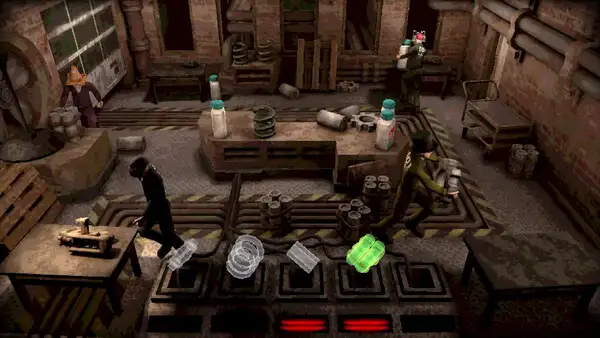
Official resources: Steam store page · Steam news hub · Godot engine docs · Official site (Mike Klubnika) · Official site (ORO Interactive)
Official Minimum Requirements
The Steam store page lists these minimum requirements:
| Component | Minimum |
|---|---|
| OS | Windows 11 |
| Processor | Dual Core 2.4 GHz |
| Memory | 8 GB RAM |
| Graphics | Radeon RX 6500 XT / Nvidia GTX 1660 |
| Storage | 1 GB available space |
| Other | Vulkan support required; 64-bit processor and OS |
Notably, Steam lists no separate "recommended" spec — the minimum is the whole story. That's typical of lightweight Godot games: the spec gap between minimum and comfortable play is small.
At roughly 1 GB of storage, Machine Party is tiny — it installs in seconds and leaves plenty of room on any drive.
What "Vulkan Required" Means for You
Machine Party is a Godot 4-era game rendering through Vulkan. That has real consequences for hardware choice:
- Nvidia 10-series and newer, AMD GCN 2+ and newer, and Intel Arc all support Vulkan properly.
- Very old GPUs (pre-2016 integrated chips, old APUs without Vulkan drivers) won't run it even if they'd otherwise be "fast enough."
- If you're on an iGPU-only laptop, check Vulkan support for your chip before buying.
This isn't a "recommended" feature — the game won't launch without a working Vulkan driver. On Windows, that usually means updated GPU drivers; on Linux, it means the Mesa or proprietary driver supporting your GPU.
Can It Run on 8GB RAM and Integrated Graphics?
The 8 GB RAM minimum is accurate but comfortable — Machine Party is not memory-hungry, and 8 GB is genuinely enough for the game plus the usual background apps.
Integrated graphics are the gray area. The listed minimums (RX 6500 XT / GTX 1660) are discrete GPUs, but because the game is so light, modern integrated graphics (RDNA2+ iGPUs, Intel Iris Xe / Arc, AMD 780M-class) can typically run it at lower settings. Older iGPUs without Vulkan support cannot.
The honest take: if you have a discrete GPU from the last decade, you're fine. If you're on an iGPU-only laptop, you need a recent one with Vulkan support and realistic expectations.
Linux Compatibility
Machine Party has a native Linux build — Linux support is listed on the store page alongside Windows, and it's not a Proton compatibility layer. The practical implications:
- Native Linux players can run it directly (no Proton needed)
- Steam Deck runs the Linux build natively — a good sign for handheld play (see our Steam Deck guide)
- Vulkan support is required here too, which is standard on modern Linux drivers (Mesa)
There's no macOS version. Mac users must wait for a port, use a compatibility layer, or play on another machine — the native build targets Windows and Linux only.
Is Windows 11 Actually Required?
The store page lists Windows 11 as the minimum OS, and in practice the game runs on Windows 10 in many cases — but it's unverified and not guaranteed. Godot 4 games occasionally hit issues on older Windows builds. If you're on Windows 10:
- Expect it to work in most cases, but treat it as unofficial
- Keep your GPU drivers current — Vulkan support is the actual gate
If the game fails to launch on Windows 10, the first fixes are driver updates, then verifying the Vulkan runtime, then checking the Steam community hub for the known workarounds.
FAQ
What are the minimum requirements for Machine Party? Windows 11, dual-core 2.4 GHz CPU, 8 GB RAM, RX 6500 XT / GTX 1660-class GPU, 1 GB storage, and Vulkan support.
Do I need Windows 11 for Machine Party? The official minimum lists Windows 11. It often runs on Windows 10 but that's unofficial and unverified — keep drivers current.
Can I run Machine Party on 8GB RAM? Yes — 8 GB is the listed minimum and is genuinely comfortable for this game. Modern integrated graphics can also run it if they support Vulkan.
Is Machine Party available on Linux? Yes — there's a native Linux build. No macOS build exists; Windows and Linux are the only platforms.
Related Guides
- Machine Party Steam Deck — How Well It Runs
- Machine Party Platforms — PC, Linux & Consoles
- Machine Party Guide — How to Play & Pro Tips
- Machine Party Price — Cost & Discounts
- Machine Party Multiplayer — Room Codes & Online Co-op
Last updated: August 12, 2026