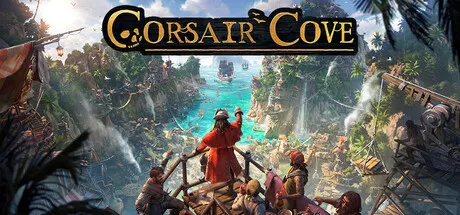
Corsair Cove PC system requirements: official minimum and recommended specs (CPU, GPU, RAM, storage), performance notes, and whether your PC can run it.
Corsair Cove System Requirements — Minimum & Recommended PC Specs
Before buying Corsair Cove ($39.99, launched July 31, 2026), check whether your PC can run it. The Steam store page lists official specs: a 64-bit Windows 10+ system with a GTX 1660 Super-class GPU at minimum and roughly 30 GB of SSD storage. This guide breaks down the official numbers and what they mean in practice.
Official Minimum Requirements
The minimum specs from the Steam page (matching the System Requirements Lab and Epic Games Store listings):
| Component | Minimum |
|---|---|
| OS | Windows 10 (64-bit) |
| CPU | Intel Core i7-7700 (quad-core) / AMD Ryzen 5 1600 (hexa-core) |
| RAM | 8 GB |
| GPU | GTX 1660 Super-class (NVIDIA) / equivalent |
| DirectX | DX12 |
| Storage | ~30 GB SSD |
| Other | 64-bit processor and OS required |
The minimum spec is aimed at 1080p / lower settings city-building workloads.
Official Recommended Requirements
| Component | Recommended |
|---|---|
| OS | Windows 10 (64-bit) |
| CPU | Stronger modern quad/hexa-core (i7/Ryzen 5-class or better) |
| GPU | RTX 2070-class |
| RAM | 16 GB (community standard for recommended) |
| Storage | ~30 GB SSD |
| DirectX | DX12 |
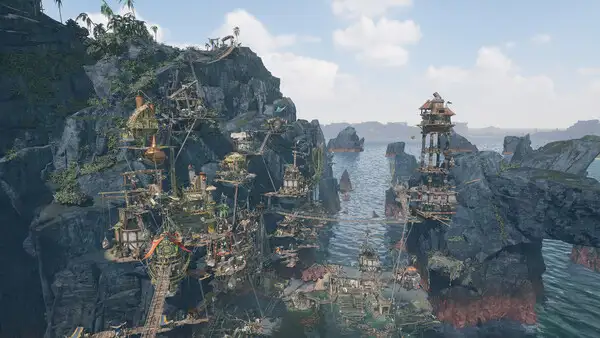
The recommended tier targets 1080p at higher settings with dense settlements — the vertical cities with many active buildings are where the GPU work stacks up.
Corsair Cove is Windows-only per the store (Windows 10 64-bit). No Mac or Linux builds are listed. Linux users typically run it via Proton/Steam Deck (see below).
GPU Tiers, Decoded
To see where your card lands, here's how the official spec lines up with real hardware classes (cross-checked against the System Requirements Lab and community performance wikis):
| Tier | GPU class | What you can expect |
|---|---|---|
| Minimum | GTX 1660 Super 6GB / RX 5600 XT 6GB | 1080p, low-medium settings; fine for early game, tight for dense late-game cities |
| Recommended | RTX 2070 8GB / RX 6600 XT 8GB | 1080p at higher settings with headroom during naval combat (the card/dice UI layers render separately) |
| Comfortable | RTX 3060 / RX 6600-class | 1080p high; the sweet spot most players report using |
VRAM matters more than raw speed here. The minimum cards carry 6 GB and will sit on medium textures; the recommended tier's 8 GB lets you keep Textures on High — which the community performance tests (e.g. xmodhub's RTX 3060/Ryzen 5600X run) recommend as the setting worth protecting.
Settings That Actually Matter
If you're chasing frames on a mid-range card, the community's testing points at two specific culprits:
- Shadow distance and water reflection resolution have roughly three times the performance impact of other settings when the camera is at sea-to-land angles (the default builder view)
- Dynamic shadows across hundreds of moving pirate agents are the main source of late-game frame drops — a 500+ population settlement is where the minimum spec starts to choke
- The rule of thumb: drop shadows and water reflections first, keep Textures high if you have 8 GB of VRAM, and leave everything else alone. That combo gives the biggest frame gain per setting click
Whatever settings the demo runs well at are the settings the full game will need. Don't crank the full game higher than your demo sweet spot — same engine, same cost.
Can My PC Run It? Real-World Notes
- The demo is your benchmark — the free Steam demo uses the same engine/build family as the full game. If the demo runs comfortably, the full game will too (see the demo/platforms guide).
- Dense settlements are the real test — early game is light; late-game cities with hundreds of buildings and zipline/elevator logistics tax the GPU more. The minimum spec handles the early game fine but may chug late.
- SSD matters — 30 GB on a spinning HDD will produce long loads and stutter on map transitions; the official requirement is SSD.
Whatever settings the demo runs well at are the settings the full game will need. Don't crank the full game higher than your demo sweet spot — same engine, same cost.
Steam Deck & Handhelds
- Official Steam Deck support: not officially Verified at the time of writing (no Valve verification badge published in week two).
- In practice: the game is a mouse/keyboard-friendly builder with a "Mouse Only Option" in the accessibility list (per the Steam categories) — community reports on Deck are still emerging. Expect it to run via Proton, with UI density the main question mark.
- Check the platforms guide for the full platform picture.
FAQ
What are the Corsair Cove system requirements?
Minimum: Windows 10 64-bit, i7-7700/Ryzen 5 1600, 8 GB RAM, GTX 1660 Super-class, DX12, 30 GB SSD. Recommended: RTX 2070-class, 16 GB RAM, stronger CPU.
Can my PC run Corsair Cove?
If you're at/above the GTX 1660 Super + i7-7700/Ryzen 5 1600 tier, yes at 1080p low-medium. The free demo is the definitive test — and if your card is below 6 GB of VRAM, plan for medium textures and shadow/water-quality cuts.
How much storage does Corsair Cove need?
About 30 GB, SSD recommended (official requirement).
Does Corsair Cove need a good GPU?
Minimum GTX 1660 Super-class; recommended RTX 2070-class. Dense late-game settlements are the main GPU stress.
Is Corsair Cove on Steam Deck?
Not officially Verified in week two; it should run via Proton, with UI density the main question. Mouse-only mode exists in accessibility settings.
Related Guides
- Corsair Cove Save File Guide — Location, Backup & Steam Cloud
- Corsair Cove Wiki — Official Wiki, Fan Databases & the Best Sources
- Corsair Cove Wine Guide — Booze, Rum & Tavern Production
- Corsair Cove House of Fortune — Gambling, Dice & Known Bugs
- Corsair Cove Trading Post — Sell Resources & Make Coins
Official resources: Steam store page · Epic Games Store · System Requirements Lab · Wikipedia · IGN game page
More Corsair Cove Guides
Where Corsair Cove saves are stored on PC, how Steam Cloud sync works, moving saves between Game Pass and Steam, and common save problems to avoid.
The Corsair Cove Trading Post explained: how to unlock it, build cost, how selling resources works, the most profitable goods, and the Wealth path to victory.
Every good Corsair Cove wiki and database: the official Hooded Horse wiki, IGN's guide, and fan databases for resources, buildings, deeds, and the community.
How wine works in Corsair Cove: the Booze → Rum → Wine production chain, what taverns consume, why pirate morale needs alcohol, and how raid loot fits in.