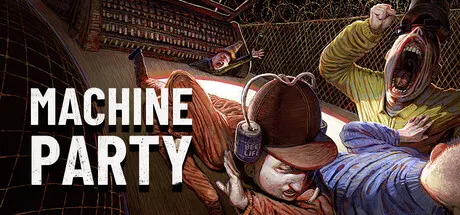
Machine Party Mods — How to Install & Best Mods Guide
Machine Party mods guide: how to install the godot-mod-loader (Windows), where mods go, vanilla/modded switching, known limitations, and the modding community's Discord and Steam hubs.
Machine Party Mods — How to Install & Best Mods Guide
Machine Party runs on the Godot engine, which means it uses the community-standard godot-mod-loader — and the community has packaged a one-click installer for it. If you've modded other Godot games, the workflow will feel familiar: install the loader, drop mod zips into a folder, launch modded. Here's the complete guide.
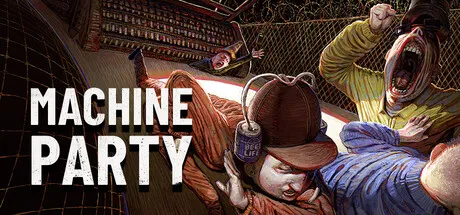
Does Machine Party Support Mods?
Officially, no — but effectively, yes. Machine Party ships without a built-in mod menu, but because it's a Godot game, the godot-mod-loader ecosystem works. The machine-party-modding community maintains a custom build of the loader with a dedicated installer that handles setup for you.
The loader is Windows-only at the moment — if you're on Linux or macOS, the community loader path isn't available yet.
How to Install the Mod Loader (Windows)
- Download the installer from the machine-party-modding GitHub (Machine-Party-Mod-Loader-Installer)
- Run the installer — it sets up the custom godot-mod-loader for Machine Party and creates a launch shortcut
- Download mods as zip files from the community (GitHub org, Discord, or game-mod sites)
- Drop the mod zips into the
modsfolder in your game folder - Launch via the modded shortcut — the game boots with mods active
The installer's main value is the launch shortcut — it toggles between vanilla and modded automatically. Without it, a standard godot-mod-loader install requires manual folder juggling to enable/disable mods.
Where Mods Go
After installing the loader, mod zip files go into the mods folder inside your Machine Party game folder. The loader scans this folder at launch. To disable a mod, remove its zip (or move it out of the folder) — no config editing needed.
Game updates can clear or conflict with modded folders. Back up your mods folder before a game update, and re-check mod compatibility after patches — broken mods can crash the game at boot.
Step-by-Step: First Mod Setup (Detailed)
If the quick version felt too fast, here's the full walkthrough with the common gotchas:
- Locate your game folder — right-click Machine Party in Steam → Manage → Browse local files. Note the path.
- Download the installer from the machine-party-modding GitHub releases page — grab the latest
.exe, not the source zip. - Run the installer — it detects the game folder (point it there manually if it doesn't) and writes the loader files plus the modded launch shortcut.
- Test vanilla first — launch the game normally once to confirm your install is healthy before adding mods. This isolates "game broken" from "mod broken" later.
- Download mod zips — only from the community GitHub/Discord or trusted mod sites.
- Drop the zips into
mods— do not unzip them; the loader accepts zip files. - Launch via the modded shortcut — the loader-enabled shortcut boots the game with mods scanned in.
Common errors and fixes:
- Mods don't load → check the zip is in the right
modsfolder (not a subfolder you created), and that you launched via the modded shortcut - Game crashes at boot → one of the mods is incompatible; remove mods one at a time to find the culprit
- "modded shortcut missing" → re-run the installer; some antivirus tools quarantine the shortcut on first run
Loaders that inject into the game process (godot-mod-loader included) occasionally trip antivirus heuristics. If your AV quarantines the installer or shortcut, add an exception for the game folder — but only if you downloaded from the official machine-party-modding repo.
Playing Modded With Friends
Modded Machine Party works online with a few caveats:
- Everyone needs the same mod set — a modded client in a vanilla lobby can mismatch on assets; agree on a shared mod list before the session
- Host drives compatibility — have the host share their
modsfolder contents so the group installs identically - Minigame mods affect all players in the arena — a rule-change mod applies to the whole lobby, so pick it deliberately
- Steam overlay is off in modded mode — use the in-game party system for invites; don't rely on Shift+Tab
Make a folder with the exact mod zips your group uses, version it (like group-mods-v3.zip), and share it in your Discord — then every member installs the same pack in one step. This kills 90% of modded multiplayer mismatches.
Known Limitations
Be honest about the current state of Machine Party modding:
- Windows only — the installer and loader don't cover Linux/macOS yet
- Steam overlay doesn't work in modded mode — the loader's shortcut notes that the Steam API overlay is unavailable when launching modded; invite friends through the game's own party system instead
- Multiplayer considerations — modded clients can mismatch vanilla clients in matchmaking; test with friends on the same mod set for stable sessions
The mod loader is a community project, not an official Machine Party feature. The developers haven't announced built-in mod support, so treat the loader as best-effort community tooling that could break with any update.
What Kinds of Mods Exist
Because the modding scene is young, the current mods skew toward quality-of-life and cosmetic work rather than content overhauls. Expect to find:
- Visual tweaks — custom themes, colors, and cosmetic changes to the party machines and minigame arenas
- Quality-of-life — UI adjustments, minigame difficulty presets, and accessibility tweaks
- Experimental gameplay — early community experiments that change minigame rules
The best way to see what's current: check the machine-party-modding GitHub org and the community Discord, where mod releases are posted first.
The Modding Community: Discord and Hubs
The Machine Party modding community organizes through:
- machine-party-modding GitHub org — the mod loader, installer, and core repos live here
- Community Discord servers — mod releases and support threads; search "Machine Party" on Discord or follow links from the Steam community
- Steam Community hub — general discussion, including modding threads
Only download mods from the community GitHub/Discord or trusted game-mod sites. Machine Party's popularity spike has attracted copycat "mod" downloads elsewhere that can be malware — if a site asks for anything beyond a file download, close it.
FAQ
How do I install Machine Party mods?
Download the Machine-Party-Mod-Loader-Installer from the machine-party-modding GitHub, run it, drop mod zips into the mods folder in your game folder, and launch through the modded shortcut.
Does Machine Party support mods?
Officially no built-in mod menu, but the Godot-based game works with godot-mod-loader, and the community maintains a custom installer build. The loader is Windows-only currently.
Where do Machine Party mod files go?
Into the mods folder inside your Machine Party game folder. The loader scans it at launch; removing a zip disables that mod.
Can I play Machine Party mods with friends?
Yes, but keep everyone on the same mod set — modded clients can mismatch vanilla clients in matchmaking. Note that the Steam overlay doesn't work in modded mode.
What if my game crashes after installing mods?
One of the mods is likely incompatible — remove mods one at a time to find the culprit. If it crashes before any mod loads, re-verify game files via Steam and re-run the loader installer.
Can I create a group mod pack for friends?
Yes — keep one folder with the exact mod zips your group uses, share it in Discord, and have everyone install the same pack. It prevents modded multiplayer asset mismatches.
Does modding Machine Party disable Steam features?
The Steam overlay doesn't work when launching modded (per the loader's notes). The rest of the game functions normally — use the in-game party system for invites.
Related guides: How Many Players · Platforms · Minigames
Last updated: August 11, 2026.